
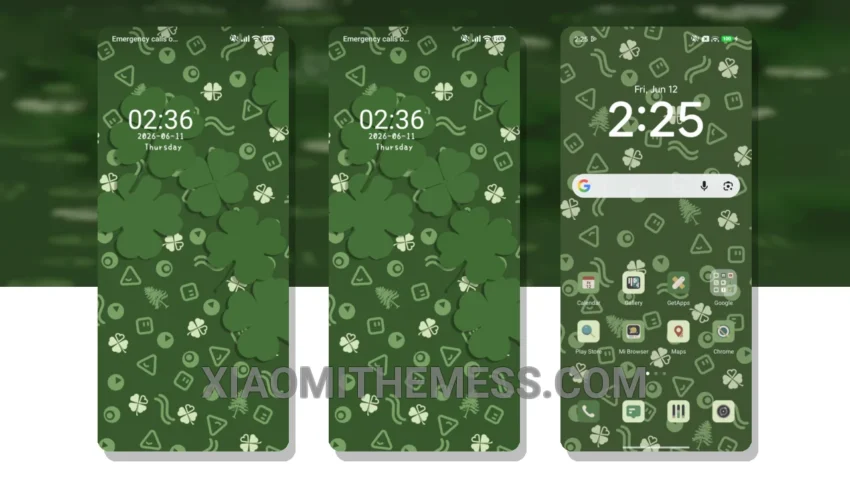
Dark mode is where it’s at. It’s sleek, it’s elegant, and it’s a battery saver. The Lucky Green Clover theme is designed to work seamlessly with AMOLED screens, giving you that pure black look that’s easy on the eyes.
The theme is fully compatible with HyperOS, MIUI 12, MIUI 13, and MIUI 14, so you can enjoy it on your Xiaomi device without any issues. It’s a great way to give your phone a fresh new look, and with the customization options, you can make it truly yours.
One thing to note is that the theme might not be suitable for everyone, especially those who prefer brighter colors. However, for those who love the dark side, this theme is a dream come true. The icon pack integration is also a nice touch, allowing you to customize your icons to match your style.
Theme Features
The Lucky Green Clover theme comes with a range of features that make it stand out from the crowd. The clean interface is easy to navigate, and the custom boot animation is a nice touch. The theme also supports dynamic island integration, giving you a seamless experience.
In my testing, I found the theme to be lag-free and smooth, with 120Hz smooth animations that make it a joy to use. The battery life is also impressive, thanks to the dark mode optimization. To be honest, I’m loving the Lucky Green Clover theme, and I think you will too. The pastel aesthetic themes are a great addition to the overall design, making it a unique and stylish choice for your Xiaomi device. With its minimal vibrant design, the theme is perfect for those who want a clean and elegant look.
Theme Information
🛠️ How to Install This MTZ Theme
- Download the MTZ file to your device.
- Open the official Themes app and go to your profile.
- Import & Apply the downloaded file.