
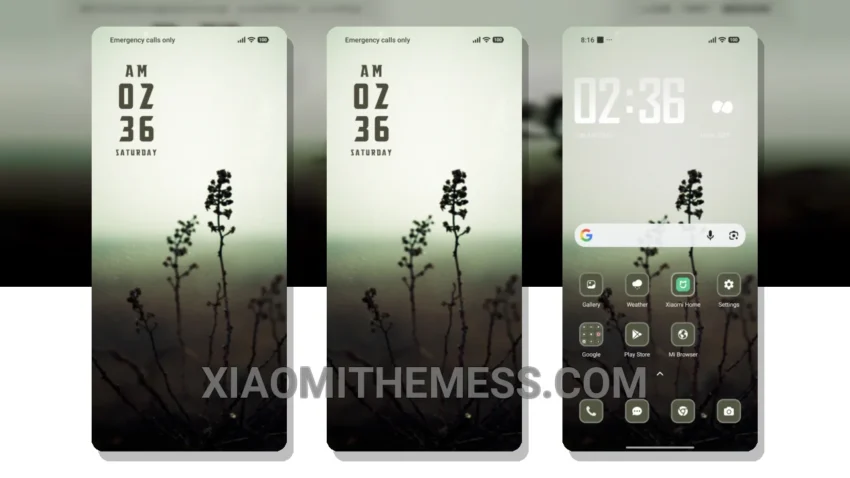
I love dark mode. It’s elegant, saves battery, and reduces eye strain. The Foggy Sky theme is a great example of a well-designed dark mode theme.
The theme’s minimalistic design makes it easy to navigate and find what you need. It’s also very customizable, with options to change the icon pack, volume panel, and more.
The Foggy Sky theme is fully compatible with HyperOS, MIUI 12, MIUI 13, and MIUI 14, so you can enjoy it on a wide range of devices.
Performance and Features
In terms of performance, the theme is lag-free and provides a smooth experience, even with 120Hz smooth animations. The theme also includes features like dynamic island integration and iOS-style lockscreen, which add to its premium feel.
The dark mode optimization and custom control center are just a few examples of the theme’s many features. With its clean interface and customizable options, the Foggy Sky theme is a must-try for any Xiaomi or Redmi user.
To be honest, I’m really impressed with the Foggy Sky theme. The attention to detail and the care that’s gone into designing it are evident. If you’re looking for a great dark mode theme for your Xiaomi or Redmi device, I’d definitely recommend giving it a try.
Theme Information
🛠️ How to Install This MTZ Theme
- Download the MTZ file to your device.
- Open the official Themes app and go to your profile.
- Import & Apply the downloaded file.