
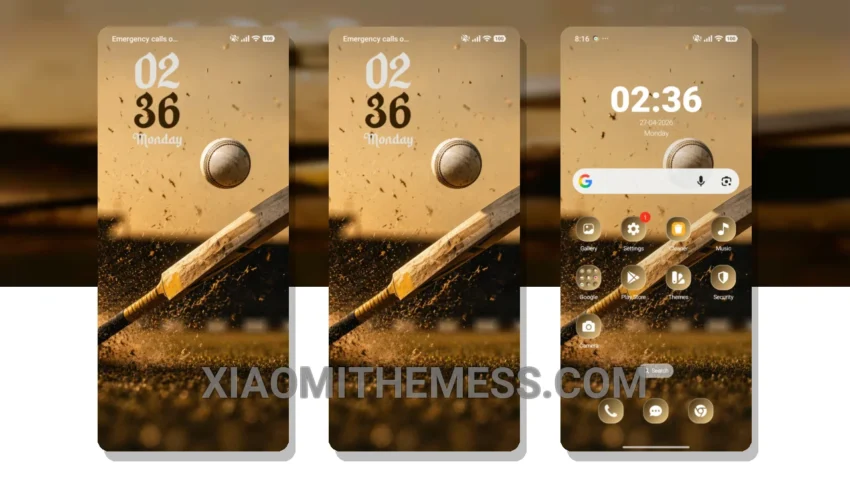
Fast animations. Clean interface. That’s what I need. The Power Shot theme delivers just that. With its minimal dark aesthetic, it’s perfect for those who want a lag-free experience on their Xiaomi device.
The theme’s compatibility with HyperOS, MIUI 12, MIUI 13, and MIUI 14 is a major plus, providing a consistent look across different Xiaomi devices.
The dark mode optimization is also a key feature, reducing battery drain and providing a premium UI experience. However, some users may find the theme’s limited color scheme a bit restrictive.
Theme Features
The Power Shot theme offers a range of features, including custom boot animation, AOD custom themes, and icon pack integration. The theme’s minimal design makes it easy to navigate, and the 120Hz smooth animations provide a seamless user experience.
To apply the Power Shot theme, simply download the theme file, go to the Themes app, and select the theme to apply it. The process is straightforward, and the theme is easy to customize with icon packs and widgets.
In my testing, the theme performed well, with no noticeable lag or battery drain. To be honest, I’m impressed with the Power Shot theme’s ability to provide a clean interface and smooth animations on my Xiaomi device.
Theme Information
🛠️ How to Install This MTZ Theme
- Download the MTZ file to your device.
- Open the official Themes app and go to your profile.
- Import & Apply the downloaded file.