
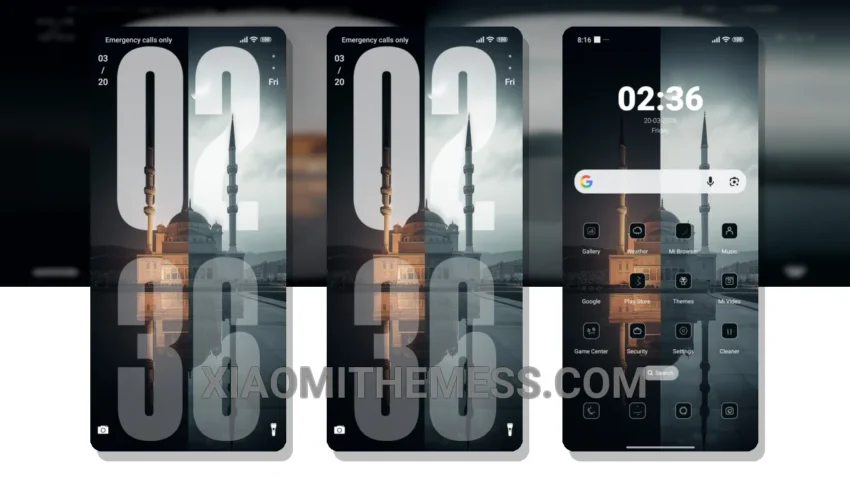
I’m obsessed with the clean look of an iPhone, and now I can give my Xiaomi the same timeless feel with the Black and White theme. It’s a great way to give my device a minimalist makeover. Simple. Elegant.
The use of pastel colors and simple design elements gives it a very clean and premium look. I love how it’s not too flashy, just pure black and white. Perfect for those who want a no-nonsense interface.
The theme is also highly customizable. I can change the icon packs, launcher, and even customize the control center to give it a more iOS-like feel. The best part? It’s a lightweight theme, so I don’t have to worry about it slowing down my device. Plus, the 120Hz smooth animations make it a joy to use.
One thing to note is that some users may find the theme a bit too minimalist, which could be a caveat for those who like a bit more visual flair. However, for me, the simplicity is a major plus.
The theme is fully compatible with HyperOS, MIUI 12, MIUI 13, and MIUI 14, making it a great option for Xiaomi and Redmi phone users. To be honest, I’m really impressed with this theme and would definitely recommend it to anyone looking to give their Xiaomi a fresh new look.
Theme Information
🛠️ How to Install This MTZ Theme
- Download the MTZ file to your device.
- Open the official Themes app and go to your profile.
- Import & Apply the downloaded file.