
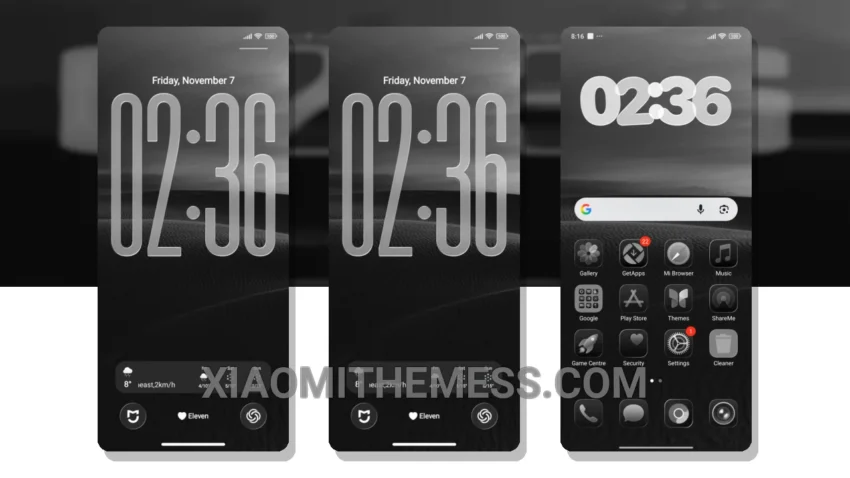
I’m obsessed with clean lines and minimal design. The Voidfall theme delivers just that. It’s all about simplicity and elegance.
The Voidfall theme is fully compatible with HyperOS, MIUI 12, MIUI 13, and MIUI 14, so you don’t have to worry about compatibility issues.
It’s lightweight, which means it won’t cause battery drain. This is a major concern for gamers like me.
Customization Options
You can integrate your favorite icon packs and customize the volume panel to your liking. However, the theme’s minimal design may not appeal to everyone.
For a premium UI experience without the clutter, the Voidfall theme is a great choice. Its dark minimalist aesthetic is perfect for those who want a sleek and modern look on their Xiaomi or Redmi device.
In my testing, the Voidfall theme has been a game-changer. The lag-free experience and 120Hz smooth animations have taken my gaming to the next level.
To be honest, I’m really impressed with the Voidfall theme. It’s a must-try for anyone who wants a clean and minimal interface on their device.
Theme Information
🛠️ How to Install This MTZ Theme
- Download the MTZ file to your device.
- Open the official Themes app and go to your profile.
- Import & Apply the downloaded file.