
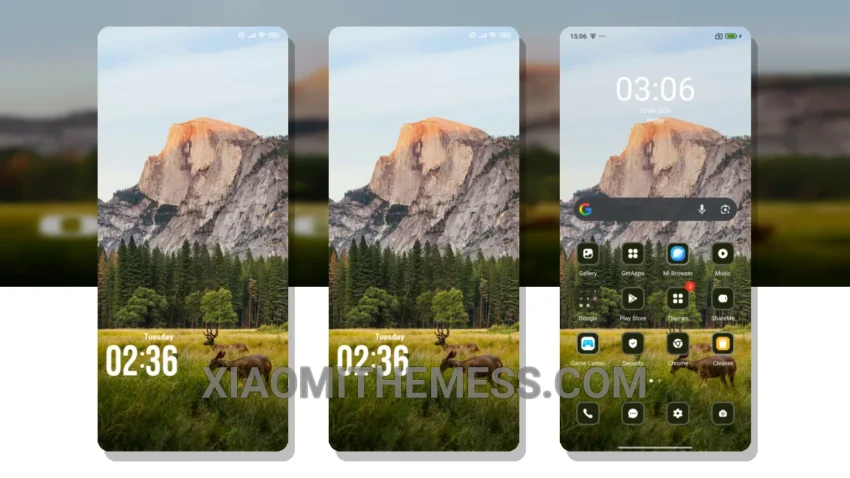
I’m obsessed with taking my Xiaomi 14 Ultra on long photo sessions, and a good theme can make all the difference. The Hill Green theme is elegant, professional, and doesn’t distract from my beautiful wallpapers.
The Hill Green theme is designed for Xiaomi devices running HyperOS, MIUI 12, MIUI 13, and MIUI 14, making it a great option for those looking for a premium look. With its dark mode optimization, it’s perfect for saving battery life during long photo sessions.
Performance and Customization
One thing I appreciate about the Hill Green theme is its ability to provide a lag-free experience. The theme is lightweight and doesn’t slow down my device, making it perfect for everyday use. Additionally, the theme offers customization options, including an AMOLED pure black theme, which is a great feature for those who want a unique look.
However, one thing to note is that the theme may not be suitable for those who prefer a more vibrant and colorful look, as it has a more subdued and minimalist aesthetic.
Compatibility and Features
The Hill Green theme is fully compatible with HyperOS, MIUI 12, MIUI 13, and MIUI 14, making it a great option for a wide range of Xiaomi devices. Its dark mode optimization and lightweight design make it perfect for those who want a theme that won’t drain their battery or slow down their device.
In my testing, I found the Hill Green theme to be a great choice for those looking for a premium and professional look on their Xiaomi device. With its customization options and lag-free experience, it’s definitely worth checking out.
To be honest, I’m really impressed with the Hill Green theme, and I think it’s a great option for anyone looking for a sleek and elegant theme for their Xiaomi device.
Theme Information
🛠️ How to Install This MTZ Theme
- Download the MTZ file to your device.
- Open the official Themes app and go to your profile.
- Import & Apply the downloaded file.