
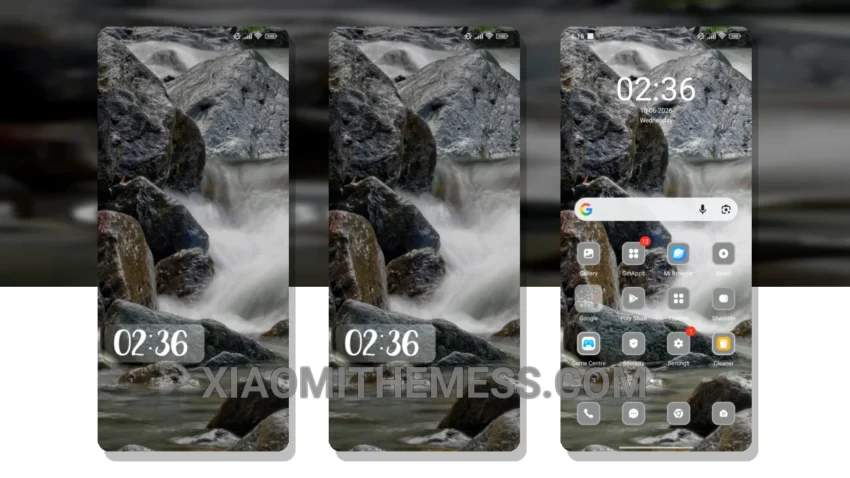
Time to spice things up! I just flashed the River theme and it’s a total game-changer. The River theme seamlessly integrates with HyperOS, MIUI 12, MIUI 13, and MIUI 14.
The River theme is all about clean interface and premium UI. It’s got a minimal vibrant aesthetic that’s super easy on the eyes. Plus, it’s optimized for battery life, so you don’t have to worry about it draining your battery.
Performance and Customization
The River theme offers a lag-free experience, making it super smooth and responsive, even with all the customization options. However, one thing to keep in mind is that it might take some time to get used to the new layout.
In my testing, I found the River theme to be a great option for anyone looking to customize their Xiaomi. The theme itself is very lightweight and easy to install.
To be honest, I’m really impressed with the River theme. It’s a great choice for anyone who wants a clean and premium UI without sacrificing performance. With its dark mode optimization and lag-free experience, it’s a must-try for any Xiaomi user.
Theme Information
🛠️ How to Install This MTZ Theme
- Download the MTZ file to your device.
- Open the official Themes app and go to your profile.
- Import & Apply the downloaded file.