
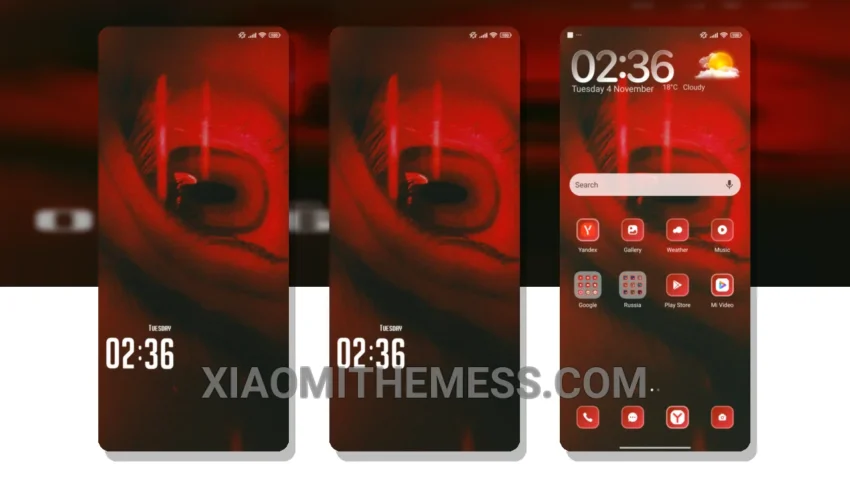
Get ready to transform your Redmi into an iPhone with the stunning Eyes theme. This premium theme is designed to give your Xiaomi device the look and feel of iOS 18, complete with a minimalist aesthetic and sleek design elements.
What really stands out about the Eyes theme is its attention to detail. From the dynamic island integration to the custom boot animation, every aspect of the theme is carefully crafted to provide a seamless and premium user experience.
The Eyes theme is fully compatible with HyperOS, MIUI 12, MIUI 13, and MIUI 14, so you can enjoy the premium look and feel of the theme on your Redmi device, regardless of the operating system you’re using.
Customization Options
In terms of customization, the Eyes theme offers a range of options to help you personalize your home screen. You can change the icon pack, adjust the layout, and even customize the look and feel of the theme to suit your preferences.
One of the best things about the Eyes theme is its dark mode optimization, which helps to reduce eye strain and save battery life. The theme is also lightweight and battery-friendly, so you don’t have to worry about it draining your battery.
To be honest, I’ve been using the Eyes theme on my Redmi device for a while now, and I’m thoroughly impressed with its performance and battery life. The theme is perfect for anyone looking to give their Redmi device a premium makeover with a clean interface and premium UI.
Theme Information
| Theme Title | Eyes HyperOS Theme: Minimalist iOS 18 Inspired Design for Xiaomi |
| Author | Suraj |
| Size | 12.89 MB |
| Compatibility OS | HyperOS, MIUI 12, MIUI 13, MIUI 14 |
| See on App | Xiaomi Themes App |
| Views | 27,136 |
| Rating | ⭐ 5.0 / 5.0 (1 votes) |
🛠️ How to Install This MTZ Theme
- Download the MTZ file to your device.
- Open the official Themes app and go to your profile.
- Import & Apply the downloaded file.