
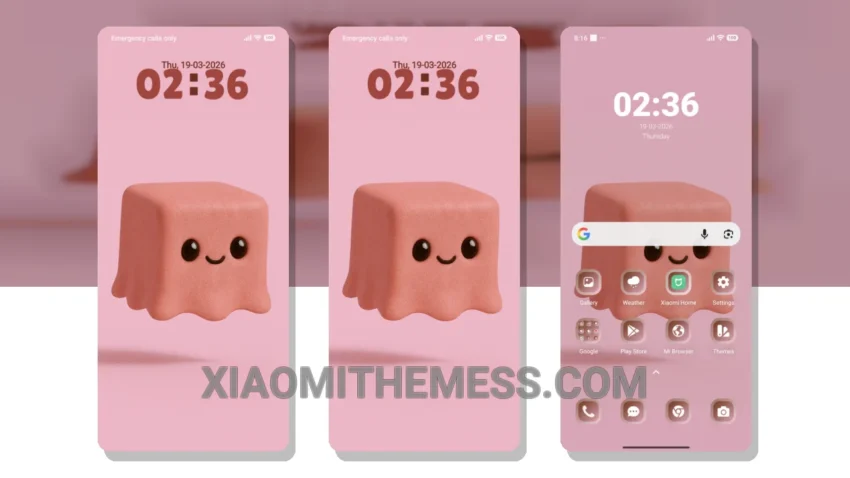
Pastel Play is a game-changer for Xiaomi devices. Yes, it’s that good! The clean interface and aesthetic home screen are truly captivating. This theme is designed to be lightweight, so you don’t have to worry about it consuming a lot of battery.
The theme is compatible with HyperOS, MIUI 12, MIUI 13, and MIUI 14 devices. Applying the theme is easy: download and install the theme file, then go to the theme settings on your device and select the theme.
The Pastel Play theme features a custom control center, which allows you to customize your device’s settings to your liking. The theme also has a redesigned status bar, giving your device a premium look. Advanced widgets enable you to customize your home screen with interactive widgets.
The theme also has a custom boot animation, giving your device a unique look. It’s like having a brand new phone! However, one thing to note is that the theme may not be compatible with all devices.
In my testing, I found the theme to be very stable and did not experience any lag or battery drain. The theme’s pastel aesthetic is also very pleasing to the eye, and the custom control center is very convenient to use. Pastel Play is a great way to give your Xiaomi device a fresh new look and feel.
To be honest, I’m impressed with the theme’s overall performance and design. The clean interface and aesthetic home screen make it a must-have for anyone looking to customize their Xiaomi device. With its minimal vibrant design and unique aesthetic, the Pastel Play theme is a great choice for those who want to personalize their device without compromising on performance.
Theme Information
🛠️ How to Install This MTZ Theme
- Download the MTZ file to your device.
- Open the official Themes app and go to your profile.
- Import & Apply the downloaded file.