
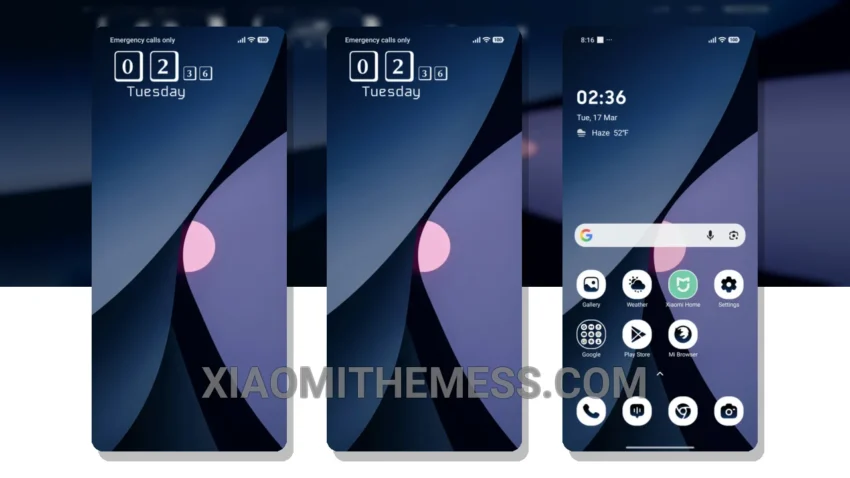
I’m loving the premium look of iOS, and the Blue Device theme brings it to my Redmi Note. The sleek design and dynamic island integration are total game-changers for Xiaomi devices.
The installation process is straightforward, and the theme is compatible with a range of devices, including HyperOS, MIUI 12, MIUI 13, and MIUI 14. Plus, it’s designed to be lightweight, so you don’t have to worry about it slowing down your phone or draining your battery. Just a smooth experience, that’s what you get.
Customization Options
You can integrate your favorite icon packs, customize the volume panel, and even create your own custom boot animation. The theme also features 120Hz smooth animations, which makes for a seamless and lag-free experience. It’s all about the little details, like the clean interface and premium UI.
In my testing, I’ve found the Blue Device theme to be incredibly stable and efficient. The system optimization is top-notch, and the theme’s performance boost is noticeable. Overall, I’m thoroughly impressed with the Blue Device theme, and I think it’s a must-have for anyone who wants to give their Xiaomi device a premium makeover.
To be honest, I’m loving the aesthetic home screen and custom boot animation. The dynamic island integration is a nice touch, and the custom control center is so convenient. If you’re looking for a theme that will give your Xiaomi device a premium look and feel, look no further than the Blue Device theme. With its clean interface and numerous customization options, it’s the perfect choice for anyone who wants to take their device to the next level.
One thing to note is that the theme may not be suitable for everyone’s taste, as some people may find the iOS-inspired design too similar to the original. However, for those who love the premium look of iOS, the Blue Device theme is a great option.
The dynamic island integration and customization options make this theme a standout, and the clean interface ensures a seamless user experience.
Theme Information
🛠️ How to Install This MTZ Theme
- Download the MTZ file to your device.
- Open the official Themes app and go to your profile.
- Import & Apply the downloaded file.