
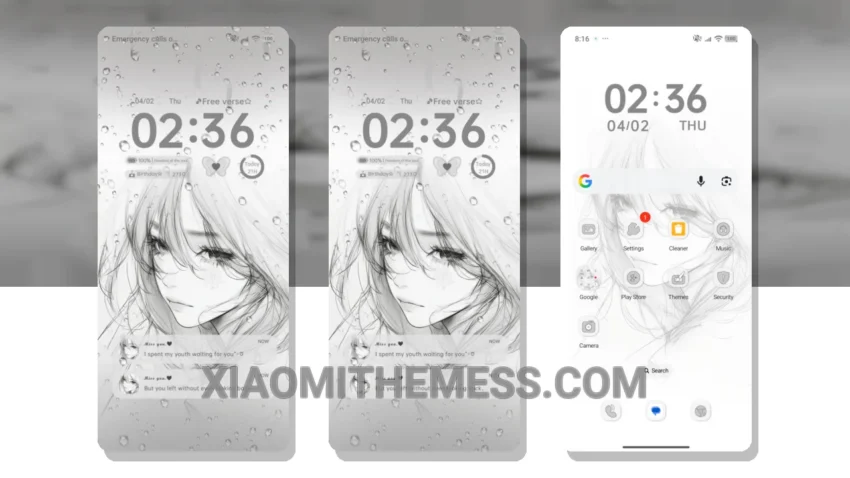
Dark mode all the way. That’s my motto. The Atmosphere Love theme brings a clean, stock Android experience to my Xiaomi device. I love how it makes my device look like an iPhone, with its premium and minimalist design.
The theme is fully compatible with HyperOS, MIUI 12, MIUI 13, and MIUI 14 devices, making it a great option for a wide range of Xiaomi users. I can customize the interface to my liking, which is a major plus. The theme also offers Material You dynamic theming, which provides a seamless and intuitive user experience.
Performance and Battery Life
One of the best things about this theme is its lightweight design, which does not cause any significant battery drain. This is a major plus for users who want a premium look without sacrificing performance. The theme is also optimized for dark mode, which helps reduce eye strain and saves battery life.
However, the theme may not be suitable for users who prefer a more cyberpunk aesthetic or neon icons, as it has a more pastel aesthetic and minimal vibrant design. But overall, the Atmosphere Love theme is a great option for users who want a premium and customizable interface.
My Experience with the Theme
In my testing, I found the theme to be very stable and lag-free, with 120Hz smooth animations and a responsive interface. To be honest, I’m really impressed with the Atmosphere Love theme and would definitely recommend it to other Xiaomi users.
The theme’s clean interface and premium UI make it a great choice for those who want a sleek and modern look. The customization options are also a big plus, allowing users to personalize their home screen and make it their own.
With its unique retro twist and clean city-vibe design, the Atmosphere Love theme is a must-try for any Xiaomi user looking for a premium and customizable interface.
Theme Information
🛠️ How to Install This MTZ Theme
- Download the MTZ file to your device.
- Open the official Themes app and go to your profile.
- Import & Apply the downloaded file.