
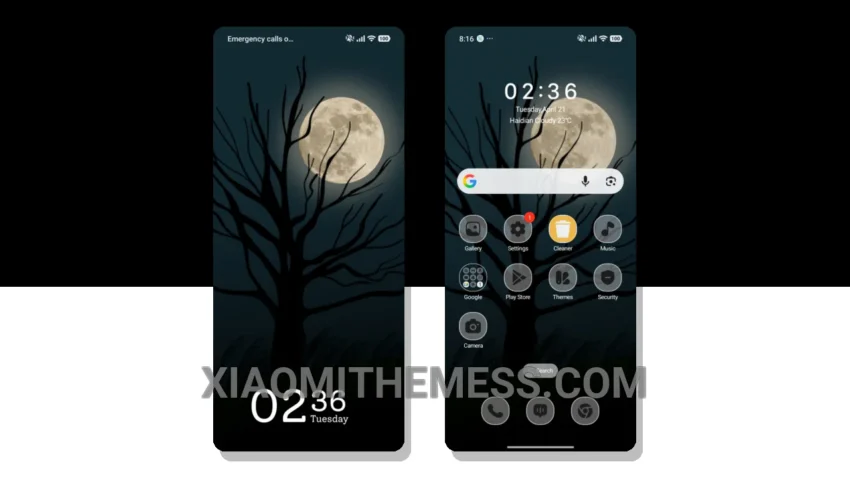
I’m always on the lookout for a theme that complements my beautiful wallpapers without being too distracting. That’s why I was excited to try out the Moonlit Dreams theme. It’s elegant and professional, with a pure AMOLED black theme that helps save battery during long photo sessions.
The theme is also very lightweight, which means it doesn’t slow down my device. I love how it looks with my favorite wallpapers – it’s the perfect combination of style and functionality.
The Moonlit Dreams theme is compatible with HyperOS, MIUI 12, MIUI 13, and MIUI 14, making it a great option for a wide range of Xiaomi devices. The theme is also very easy to apply, and the download size is only 3.16 MB.
Features and Performance
In my testing, I found the Moonlit Dreams theme to be very smooth and lag-free, with 120Hz smooth animations that make it a joy to use. The theme also has a great custom control center and redesigned status bar that add to its premium feel.
One thing to note is that the theme may not be suitable for everyone, as it has a very minimalist design that some users may find too simple. However, I think it’s a great option for those looking for a clean and elegant theme that won’t drain their battery.
To be honest, I’m really impressed with the Moonlit Dreams theme, and I think it’s a great option for anyone looking for a minimalist and elegant theme that won’t drain their battery. Give it a try and see for yourself!
Theme Information
🛠️ How to Install This MTZ Theme
- Download the MTZ file to your device.
- Open the official Themes app and go to your profile.
- Import & Apply the downloaded file.