
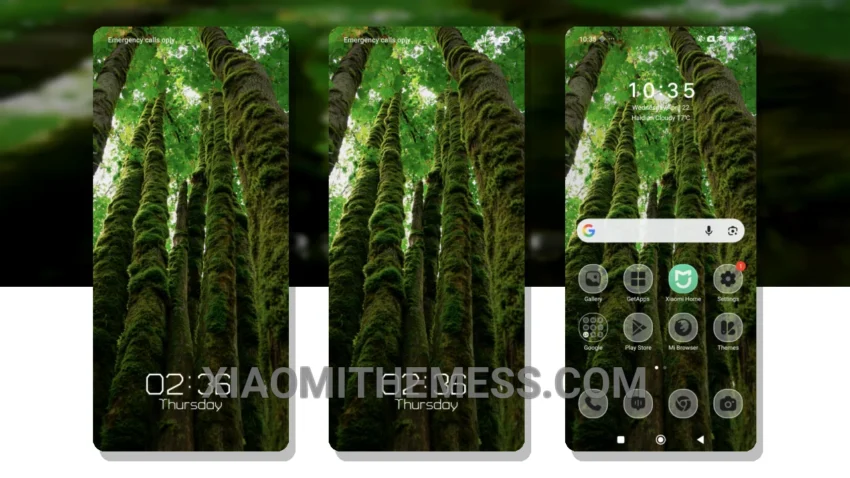
I’m obsessed with the Mossy Circle theme! It brings a premium look to my Xiaomi device, similar to iOS 18. The theme’s unique blend of minimalist design and elegant features is perfect for those who crave a high-end look without the hefty price tag.
Dark mode optimization is a must for me, and the Mossy Circle theme delivers. It’s like a breath of fresh air. Plus, with its lag-free experience, I can enjoy a seamless and efficient user experience.
Compatibility and Customization
The Mossy Circle theme is fully compatible with a range of Xiaomi devices, including those running HyperOS, MIUI 12, MIUI 13, and MIUI 14. This means I can enjoy the premium look and feel of the theme, no matter which device I’m using. In terms of customization, the Mossy Circle theme offers a range of options, including icon pack integration and volume panel customization.
The theme’s glassmorphism UI and pastel aesthetic themes give my device a fresh and modern look that’s hard to resist. If you’re looking to customize your Xiaomi device with a premium and minimalist look, the Mossy Circle theme is definitely worth checking out. One of the best things about this theme is that it doesn’t drain my battery, thanks to its battery saver UI. Plus, the 120Hz smooth animations make it a joy to use.
To be honest, I was blown away by the Mossy Circle theme’s performance and aesthetics. It’s a must-try for anyone looking to customize their Xiaomi device with a premium and minimalist look. So, what are you waiting for? Download the Mossy Circle theme today and experience the best of android customization!
Theme Information
🛠️ How to Install This MTZ Theme
- Download the MTZ file to your device.
- Open the official Themes app and go to your profile.
- Import & Apply the downloaded file.