
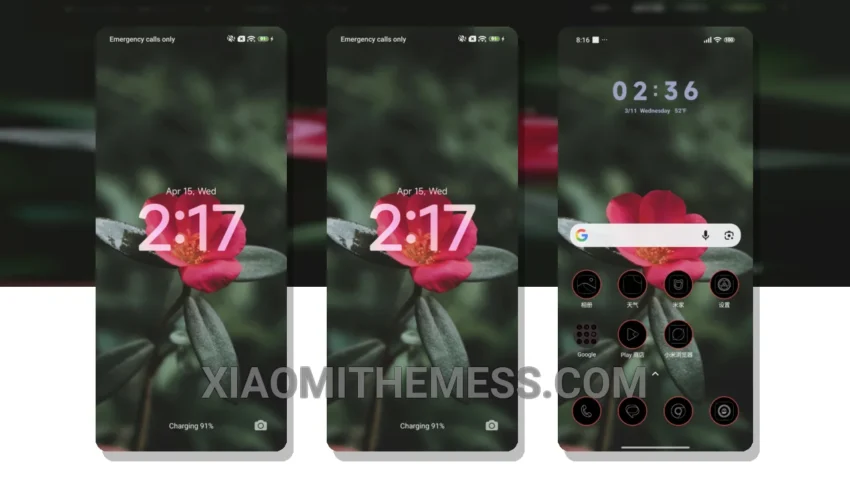
Dark mode is my go-to. A sleek, dark interface not only saves battery but also reduces eye strain. The Authentic Red theme delivers just that – a deep, dark red HyperOS theme that’s both stylish and functional.
The Authentic Red theme is a great xiaomi theme, fully compatible with HyperOS, MIUI 12, MIUI 13, and MIUI 14. I love how it looks on my device, with its clean interface and aesthetic home screen. The theme is also lightweight, so I don’t have to worry about battery drain or lag.
AMOLED Pure Black Theme Support
One of the best things about the Authentic Red theme is its support for AMOLED pure black theme. It’s like having a piece of art on my device, with its deep, rich colors and pure black background. And with its custom control center and redesigned status bar, I can personalize my device to my heart’s content.
The theme also comes with advanced widgets and interactive lockscreen widgets, which is a big plus for me. I can stay up-to-date with the latest news and updates without having to unlock my device. And with its custom boot animation, I can add a personal touch to my device.
My only gripe is that it doesn’t have dynamic island integration, which would be a great feature to have. But overall, it’s a great theme that delivers on its promises.
To be honest, I’ve tried a lot of different themes on my device, but the Authentic Red theme is one of my favorites. It’s a great combination of style and substance, with its sleek design and robust features. If you’re looking for a new theme to try, I highly recommend giving the Authentic Red theme a shot. With its unique blend of style and functionality, it’s definitely worth checking out.
Theme Information
🛠️ How to Install This MTZ Theme
- Download the MTZ file to your device.
- Open the official Themes app and go to your profile.
- Import & Apply the downloaded file.