
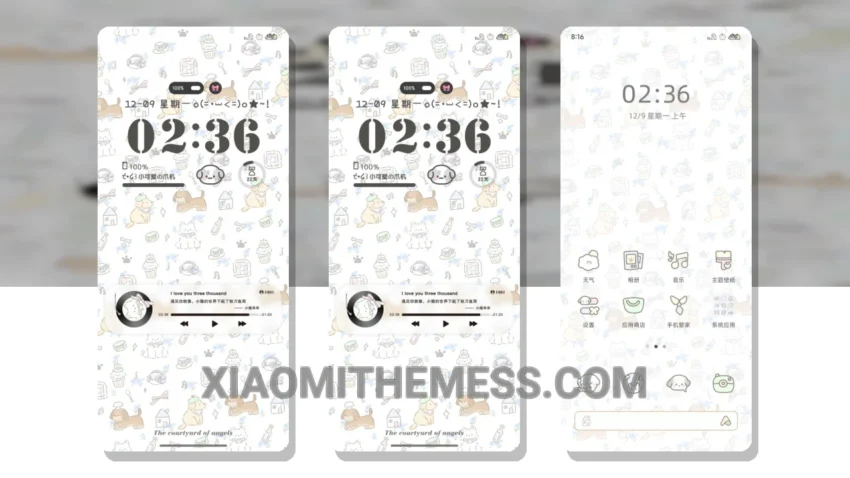
I love a good Xiaomi theme, and Puppy’s Home is one of them. Translated from the original Chinese title, this theme brings a unique twist to the usual android themes.
The Puppy’s Home theme is all about simplicity and elegance. With a clean interface, this theme is perfect for daily use. It’s fully compatible with HyperOS, MIUI 12, MIUI 13, and MIUI 14, so you don’t have to worry about compatibility issues.
One of the best things about this theme is its dark mode optimization. It’s designed to provide a great user experience while saving battery life. The theme also supports icon pack integration, so you can customize it to your liking.
In terms of performance, the Puppy’s Home theme is lag-free and provides a smooth experience. However, it’s worth noting that the theme is 17.9 MB in size, which may be a concern for some users with limited storage space.
Overall, the Puppy’s Home theme is a great choice for those looking for a simple and elegant Xiaomi theme. To be honest, I’ve been using this theme for a while now, and I’m really happy with its performance and customization options.
Conclusion
In my testing, the Puppy’s Home theme has proven to be a reliable and aesthetically pleasing choice. With its unique twist and customization options, it’s definitely worth checking out. So, if you’re looking for a new Xiaomi theme, give Puppy’s Home a try.
Theme Information
🛠️ How to Install This MTZ Theme
- Download the MTZ file to your device.
- Open the official Themes app and go to your profile.
- Import & Apply the downloaded file.