
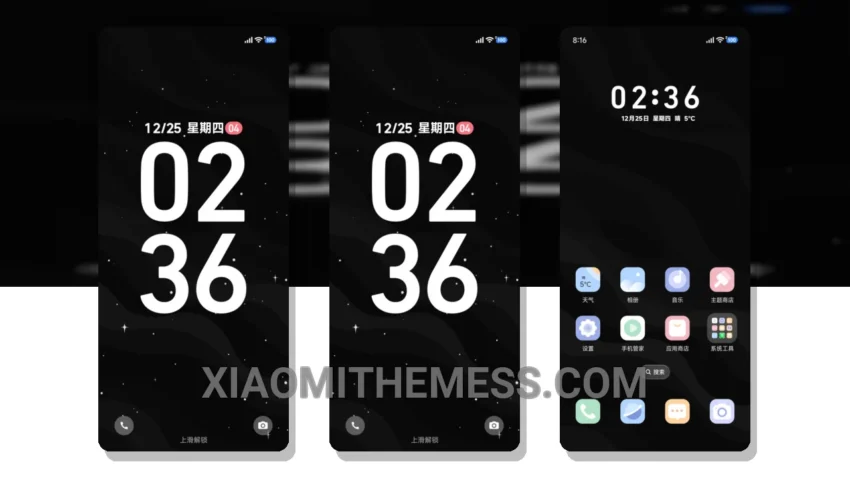
The Black White Graffiti Star Crack theme is a great option for those looking for a unique and elegant design. With its black and white color scheme, this theme is perfect for those who want a clean and minimalistic look. The theme is fully compatible with HyperOS, MIUI 12, MIUI 13, and MIUI 14, making it accessible to a wide range of users.
One of the standout features of this theme is its ability to provide a lag-free experience, thanks to its lightweight design and optimized performance. Additionally, the theme offers dark mode optimization, which helps to reduce battery drain and improve overall system performance.
In terms of customization, the Black White Graffiti Star Crack theme offers a range of options, including icon packs, wallpapers, and more. Users can easily personalize their home screen to suit their preferences, making this theme a great choice for those who value flexibility and customization.
However, one potential caveat of this theme is that it may not be suitable for users who prefer a more vibrant and colorful design. The black and white color scheme may be too minimalistic for some users, who may find it lacking in visual appeal.
Overall, the Black White Graffiti Star Crack theme is a great option for those looking for a unique and elegant design. With its lightweight design, optimized performance, and customization options, this theme is perfect for users who want a clean interface and a lag-free experience. To be honest, I was impressed with the theme’s overall performance and design, and I would definitely recommend it to anyone looking for a great Xiaomi theme.
Theme Information
🛠️ How to Install This MTZ Theme
- Download the MTZ file to your device.
- Open the official Themes app and go to your profile.
- Import & Apply the downloaded file.