
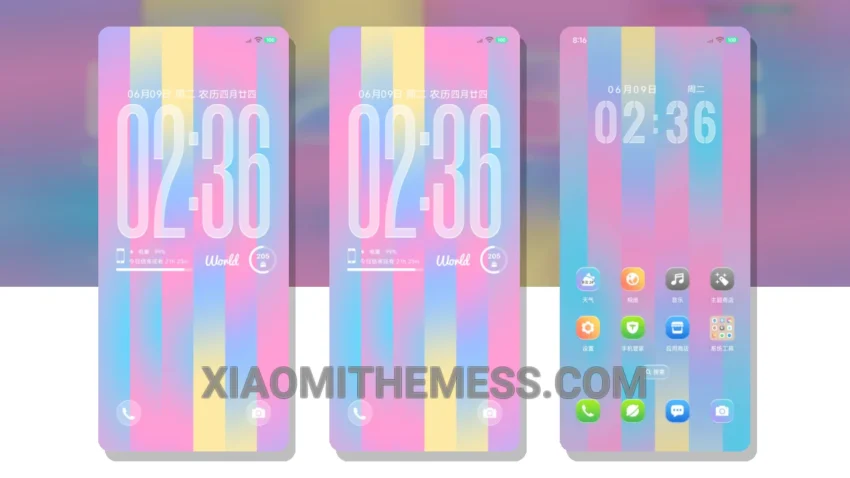
Dark mode is where it’s at. I mean, who needs a bright, eye-searing screen when you can have a sleek, AMOLED pure black theme instead? That’s why I’m excited about the Flowing Light theme, which brings a touch of elegance to your Xiaomi or Redmi device.
This theme is fully compatible with HyperOS, MIUI 12, MIUI 13, and MIUI 14, so you can rest assured it’ll work seamlessly on your device. The flow of the UI is incredibly smooth, with 120Hz smooth animations that make navigation a breeze.
Customization Options
The Flowing Light theme offers a range of customization options, including custom boot animation, AOD custom themes, and icon pack integration, so you can personalize your device to your heart’s content. With the custom control center, you can easily access your favorite settings and features.
One thing to note is that the theme may not be suitable for everyone, particularly those who prefer brighter, more vibrant colors. But for those of us who love the dark side, the Flowing Light theme is a dream come true. The theme’s focus on dark mode optimization and lag-free experience makes it a great choice for those who want a seamless and efficient user experience.
In my testing, I found the theme to be incredibly responsive, with a lag-free experience that’s hard to beat. To be honest, I’m thoroughly enjoying the Flowing Light theme, and I think you will too. So why not give it a try and see what you think?
Theme Information
🛠️ How to Install This MTZ Theme
- Download the MTZ file to your device.
- Open the official Themes app and go to your profile.
- Import & Apply the downloaded file.