
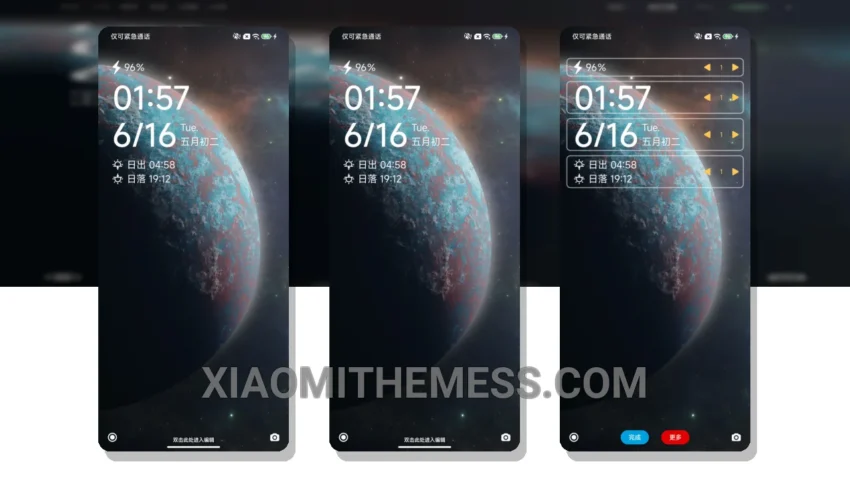
Wow, just got my hands on the Ultra Vibrance theme! It’s a game-changer. This theme is all about giving your Xiaomi device a futuristic look. I mean, who doesn’t love a good sci-fi vibe? It’s fully compatible with HyperOS, MIUI 12, MIUI 13, and MIUI 14, so you don’t have to worry about it working on your device.
The first thing I noticed was how it changes the control center and status bar. It’s like a whole new phone! The custom control center is so sleek and easy to use. And the redesigned status bar? Absolutely stunning. It’s these little touches that make the Ultra Vibrance theme stand out.
One of the best things about this theme is how it integrates with the system. It’s got dark mode optimization, which not only looks amazing but also helps save battery life. And with its lightweight design, you don’t have to worry about it slowing down your phone. The performance is smooth, thanks to the system optimization that comes with the theme.
Customization Options
The Ultra Vibrance theme isn’t just about looks; it also offers a range of customization options. You can personalize your home screen with aesthetic home screen options, and the theme supports icon pack integration for an even more unique look. Plus, with the custom boot animation and AOD custom themes, you can make your phone truly one-of-a-kind.
In my testing, I found that the theme works seamlessly with the device’s hardware, providing a lag-free experience. However, one thing to note is that it might take a little time to get used to the new layout, especially if you’re coming from a standard theme. But trust me, it’s worth it.
To be honest, I’m really impressed with the Ultra Vibrance theme. It’s a must-try for anyone looking to give their Xiaomi device a fresh, futuristic look. With its unique blend of style and functionality, it’s definitely a theme that will make your phone stand out from the crowd.
Theme Information
🛠️ How to Install This MTZ Theme
- Download the MTZ file to your device.
- Open the official Themes app and go to your profile.
- Import & Apply the downloaded file.