
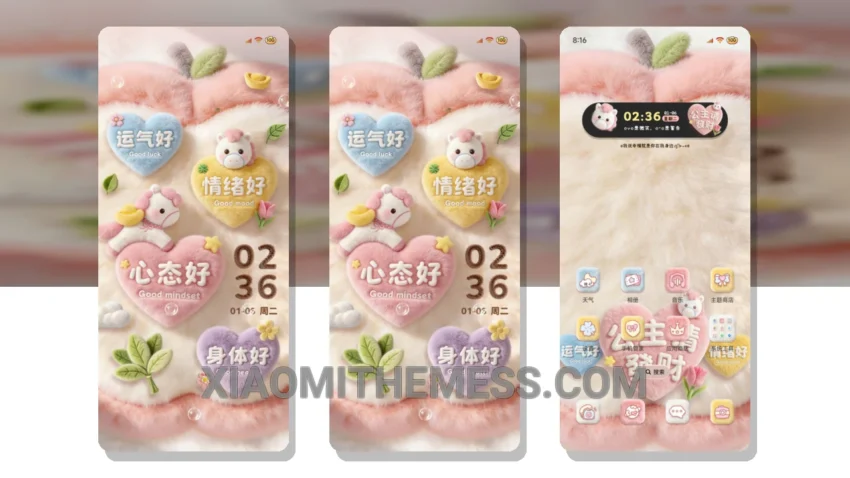
I’m obsessed with dark mode, and the Princess Wealth Fluffy theme delivers. It’s like a breath of fresh air for my Xiaomi device.
The Princess Wealth Fluffy theme offers a unique and aesthetic home screen design that will make your device stand out. With its pastel aesthetic themes and minimal vibrant style, you’ll love the way it looks. Customization is key with the Princess Wealth Fluffy theme. You can make the control center and status bar look however you want, which is really cool.
The theme also supports dark mode optimization for a premium UI experience. The theme is designed to be lightweight, so you don’t have to worry about battery drain. However, one thing to note is that the theme is quite large, at 55.2 MB, so make sure you have enough space on your device before downloading.
My Experience with the Theme
In my testing, I found the Princess Wealth Fluffy theme to be very stable and easy to use. The customization options are extensive, and the theme looks great on my device. To be honest, I’m really impressed with the quality of this theme, and I think you will be too.
To get the most out of the Princess Wealth Fluffy theme, I recommend exploring the various customization options available. You can personalize your home screen, control center, and status bar to create a look that’s all your own. With its clean interface and aesthetic home screen design, this theme is perfect for anyone looking to elevate their Xiaomi or Redmi device.
The Princess Wealth Fluffy theme is fully compatible with HyperOS, MIUI 12, MIUI 13, and MIUI 14, making it a great choice for anyone with a Xiaomi device. So why not give it a try and see how it can transform your device?
Theme Information
🛠️ How to Install This MTZ Theme
- Download the MTZ file to your device.
- Open the official Themes app and go to your profile.
- Import & Apply the downloaded file.