
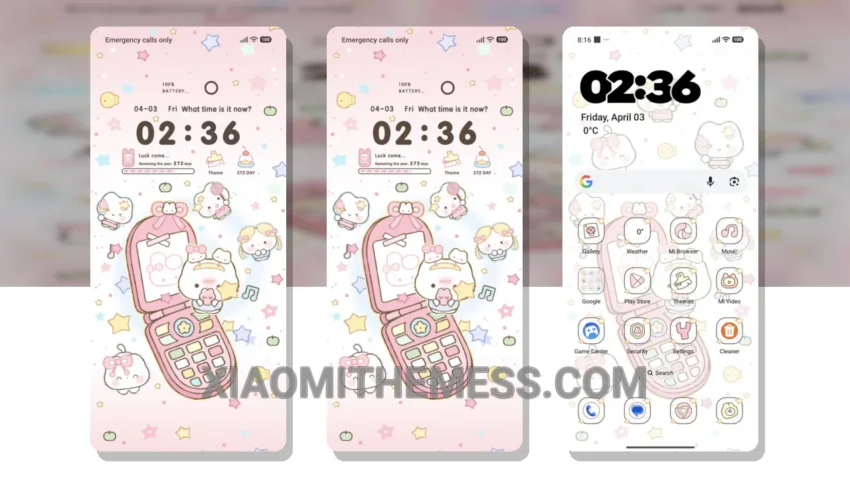
Simple, yet elegant. That’s what I love about the Morph Kitty Mech theme. It’s a breath of fresh air, with its pastel colors and clean lines.
What really stands out is the attention to detail. The theme’s designer has carefully crafted every element, from the custom control center to the redesigned status bar.
One of the highlights of this theme is its compatibility – it works seamlessly with HyperOS, MIUI 12, MIUI 13, and MIUI 14. Plus, it’s lightweight, so you don’t have to worry about it slowing down your device.
Another detail is the clean interface, which makes it easy to navigate and find what you need. The theme also offers some customization options, including the ability to change icons and add widgets.
However, one thing to note is that the theme may not be suitable for those who prefer a more dramatic or bold look. But for those who appreciate a minimalist aesthetic, this theme is a great choice.
In my testing, I found the theme to be smooth and lag-free, with no noticeable battery drain. Overall, I’m really impressed with the Morph Kitty Mech theme – it’s a great option for anyone looking to give their Xiaomi device a fresh new look.
Theme Information
🛠️ How to Install This MTZ Theme
- Download the MTZ file to your device.
- Open the official Themes app and go to your profile.
- Import & Apply the downloaded file.