
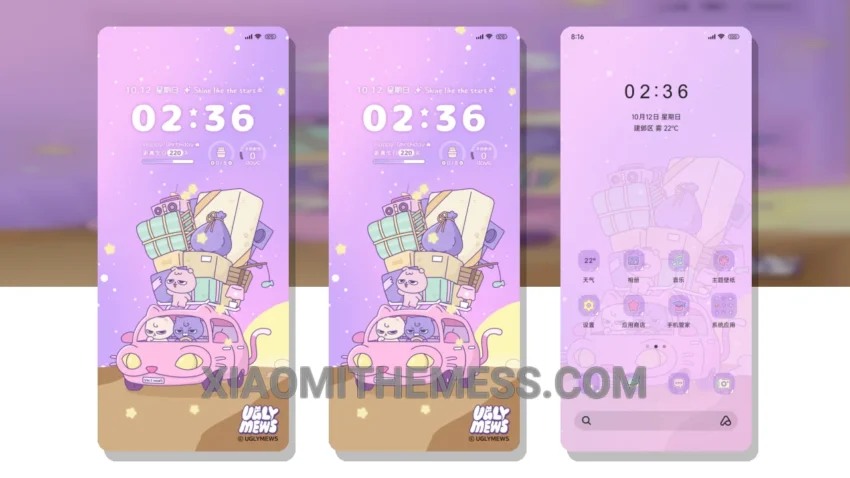
Dark mode is my go-to. I mean, who doesn’t love the elegance of a dark interface? The Travel Diary theme is no exception. This minimal vibrant theme is perfect for those who want a clean and simple look without sacrificing style.
Fast. The animations are smooth, thanks to the 120Hz support. No lag, just a seamless experience. I love how the theme’s dark mode optimization helps reduce eye strain and saves battery life.
The Travel Diary theme is fully compatible with HyperOS, MIUI 12, MIUI 13, and MIUI 14, making it a great option for Xiaomi users. One of the best things about this theme is its ability to provide a lag-free experience, even with the advanced features and customization options.
Customization Options
Customization is key. The Travel Diary theme offers a range of options, including icon pack integration and a custom control center. This allows users to personalize their home screen and make it their own. However, some users may find the theme’s limited color scheme to be a caveat.
In my testing, I found the Travel Diary theme to be a great choice for those who want a premium UI without the premium price tag. The theme’s aesthetic home screen and redesigned status bar make it a great option for those who want a clean and minimal look.
To be honest, I’m impressed with the Travel Diary theme. The combination of dark mode optimization, smooth animations, and customization options make it a great choice for Xiaomi users. If you’re looking for a theme that’s both stylish and functional, the Travel Diary theme is definitely worth considering.
Theme Information
🛠️ How to Install This MTZ Theme
- Download the MTZ file to your device.
- Open the official Themes app and go to your profile.
- Import & Apply the downloaded file.