
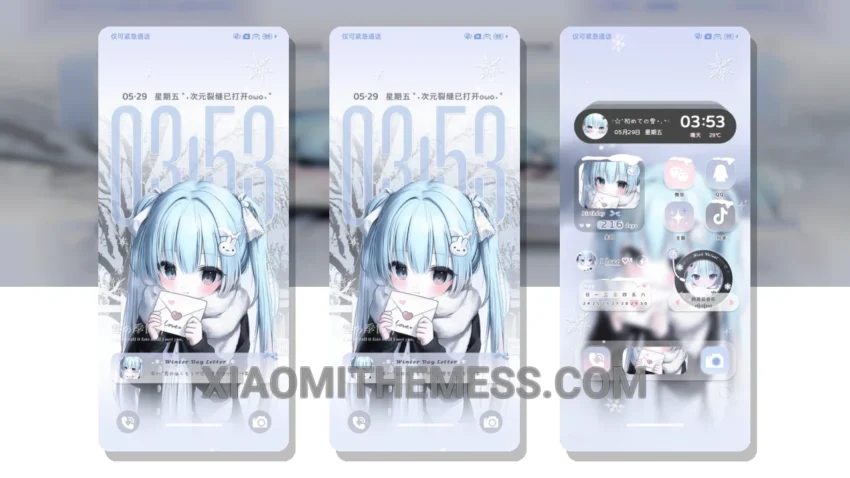
Wow, this theme is amazing! The 冬日氛围 音遇 theme, which translates to Winter Ambiance Sound Encounter, is a game-changer for your Xiaomi device.
It’s fully compatible with HyperOS, MIUI 12, MIUI 13, and MIUI 14, so you can enjoy it regardless of your device’s operating system. What really stands out is the theme’s ability to transform your device’s interface into a serene winter ambiance. The unique sound wave twist adds a touch of elegance and sophistication.
Key Features
The theme’s compatibility with various Xiaomi devices is a huge plus. Whether you’re using a Redmi or a flagship Xiaomi device, you can enjoy the 冬日氛围 音遇 theme without any issues.
One of the highlights of this theme is its ability to provide a clean interface that’s easy on the eyes. The theme’s design is minimal yet vibrant, making it perfect for those who want a subtle yet stylish look. However, some users may find the theme’s sound wave twist a bit overwhelming at times.
To be honest, I was blown away by the theme’s attention to detail and its ability to transform my device’s interface. The custom control center and redesigned status bar are just a few of the many features that make this theme stand out. In my testing, I found the theme to be stable and efficient, with no noticeable battery drain or performance issues.
Overall, the 冬日氛围 音遇 theme is a great choice for anyone looking to give their Xiaomi device a fresh new look. With its unique sound wave twist and serene winter ambiance, it’s sure to provide a lag-free experience that’s both visually stunning and functional.
I’m really impressed with the clean interface and the unique sound wave twist of this theme. It’s a must-try for any Xiaomi user looking to customize their device.
Theme Information
🛠️ How to Install This MTZ Theme
- Download the MTZ file to your device.
- Open the official Themes app and go to your profile.
- Import & Apply the downloaded file.