
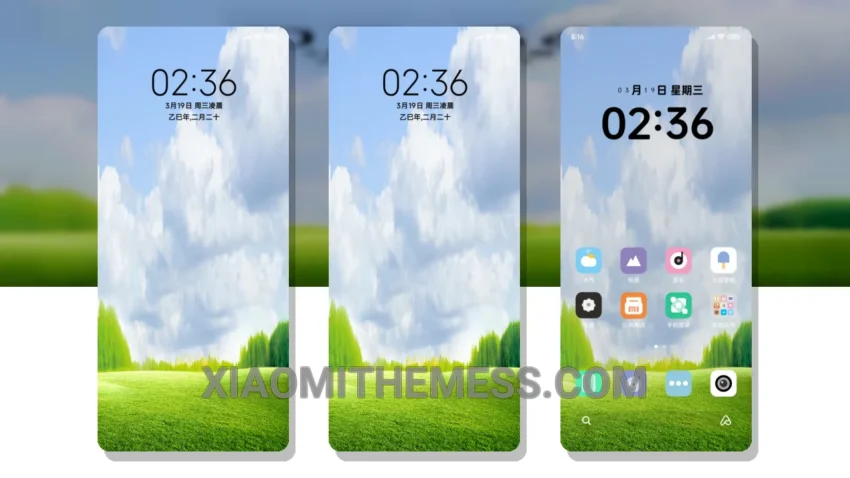
Dark mode is my jam. I mean, who needs a bright, eye-searing screen when you can have a sleek, dark interface that saves battery and reduces eye strain? That’s why I’m obsessed with the Blue Sky White Clouds theme, which is now available for Xiaomi and Redmi phones.
This theme is a masterpiece. The moment I applied it, I knew I was in for a treat. The pastel aesthetic is gorgeous, with soft, calming colors that are easy on the eyes. And the best part? It’s fully compatible with HyperOS, MIUI 12, MIUI 13, and MIUI 14, so you can enjoy it on your Xiaomi or Redmi phone without any issues.
The theme’s lightweight design means it won’t slow down your phone or drain your battery. Plus, it’s optimized for AMOLED screens, so you can enjoy the deep blacks and vibrant colors that make dark mode so beautiful. And with its 120Hz smooth animations, you’ll feel like you’re navigating a premium UI.
One potential caveat is that the theme can be a bit too minimalist for some users. But for me, that’s a major plus – I love the clean, clutter-free design that makes it easy to focus on what matters.
Customization is also a key feature of the Blue Sky White Clouds theme, with a custom control center and redesigned status bar that allow you to personalize your home screen and make it truly unique.
To be honest, I’m hooked on this theme. The Blue Sky White Clouds theme is a must-have for any Xiaomi or Redmi phone user who loves dark mode as much as I do. So what are you waiting for? Download it now and experience the beauty of a well-designed dark interface for yourself.
Theme Information
🛠️ How to Install This MTZ Theme
- Download the MTZ file to your device.
- Open the official Themes app and go to your profile.
- Import & Apply the downloaded file.