
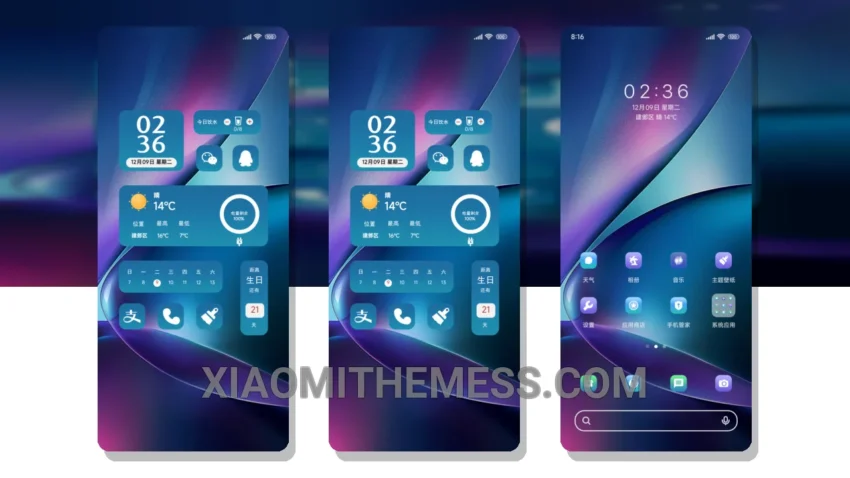
Dark mode is more than just an aesthetic, it’s a way of life. I mean, who needs a bright, harsh screen when you can have a sleek, dark mode optimization that saves battery and reduces eye strain? The Timeless Elegance theme, translating to ‘OS明简约大時間’, is the perfect example of this, with its timeless design and elegant interface.
The theme is fully compatible with HyperOS, MIUI 12, MIUI 13, and MIUI 14, blending seamlessly with these operating systems. It’s like they were made for each other, resulting in a clean interface that’s both premium and minimalist.
Key Features and Details
The Timeless Elegance theme boasts a lag-free experience, with smooth animations and seamless transitions. The overall performance is top-notch, making it feel like you’re using a high-end device without the hefty price tag.
One thing to note is that the theme has limited customization options. While you can change the icon pack and adjust the color scheme, some users may find these options to be a bit limited.
In my testing, I found the Timeless Elegance theme to be a game-changer. The battery saver UI is a major plus, and the overall design is both elegant and functional. To be honest, I’m hooked on this theme and I think you will be too.
Theme Information
🛠️ How to Install This MTZ Theme
- Download the MTZ file to your device.
- Open the official Themes app and go to your profile.
- Import & Apply the downloaded file.