
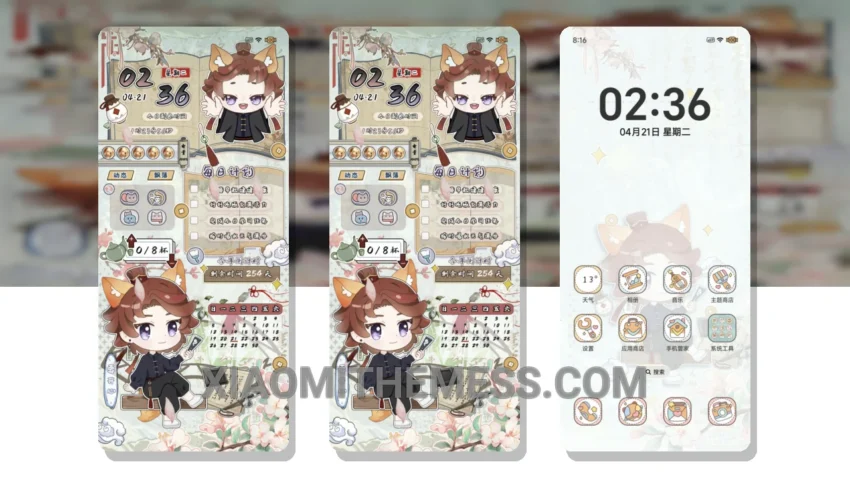
Sleek. Minimal. Beautiful. The Moonlight Fan Shadow theme is a stunning dark mode optimization theme that will transform your Xiaomi phone’s interface.
It’s fully compatible with HyperOS, MIUI 12, MIUI 13, and MIUI 14, so you can enjoy a seamless experience. The theme’s ability to change the control center, status bar, and icons gives your phone a unique look.
The Moonlight Fan Shadow theme is not just about looks; it also offers a range of features that enhance your phone’s functionality. For example, you can customize the theme using various android customization apps and icon packs, giving you complete control over your phone’s interface.
The theme also supports custom control center and redesigned status bar, making it easy to access your favorite features. The developers have created a range of interactive lockscreen widgets and custom boot animation that will make your phone stand out from the crowd.
One of the best things about this theme is its lightweight design, which means it won’t slow down your phone or cause battery drain. However, some users may find the theme’s minimalistic approach to be a bit too simplistic.
In my testing, I found the Moonlight Fan Shadow theme to be a game-changer for my Xiaomi phone. The theme’s unique design and features have completely transformed my phone’s interface, and I couldn’t be happier with the result. To be honest, I was a bit skeptical at first, but the theme has exceeded my expectations in every way.
Conclusion
Overall, the Moonlight Fan Shadow theme is a must-have for anyone looking to give their Xiaomi phone a sleek and modern look. With its stunning dark mode optimization and range of customization options, this theme is sure to impress.
Theme Information
🛠️ How to Install This MTZ Theme
- Download the MTZ file to your device.
- Open the official Themes app and go to your profile.
- Import & Apply the downloaded file.