
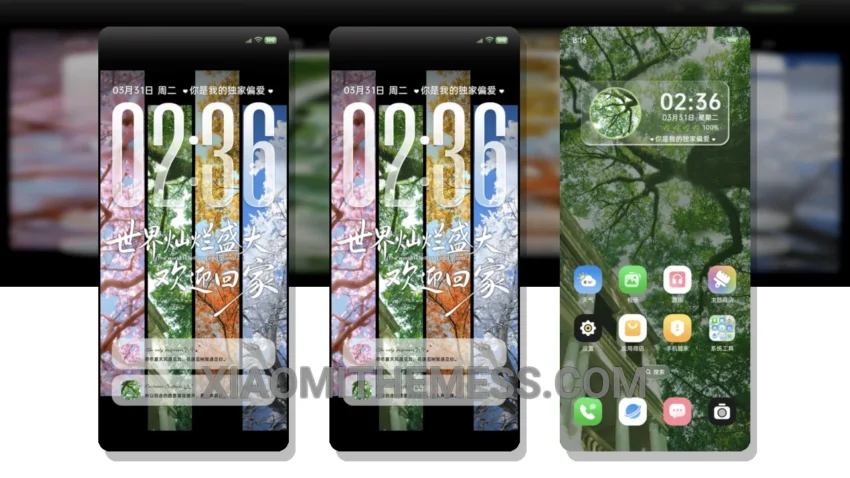
Gravity Grid Multi Wallpaper is a great choice for anyone looking for a professional and elegant design on their Xiaomi device. With its clean interface and minimal vibrant aesthetic, this theme is perfect for daily use. It’s all about simplicity and usability.
The design is sleek and modern, with a focus on usability and readability. This theme is fully compatible with HyperOS, MIUI 12, MIUI 13, and MIUI 14, making it a great choice for anyone with a Xiaomi device.
I like how the theme provides a lag-free experience, thanks to its lightweight design and optimized code. Additionally, the theme offers a range of customization options, including support for custom boot animation and icon pack integration.
However, one thing to consider is the theme’s size, which may be a concern for users with limited storage space on their devices. But overall, the Gravity Grid Multi Wallpaper theme is a great choice for those looking for a professional and elegant design.
In my testing, I found the Gravity Grid MTZ theme to be easy to use and customize, and its attention to detail is impressive. To be honest, I was really impressed with the theme’s performance and overall design.
Theme Information
🛠️ How to Install This MTZ Theme
- Download the MTZ file to your device.
- Open the official Themes app and go to your profile.
- Import & Apply the downloaded file.