
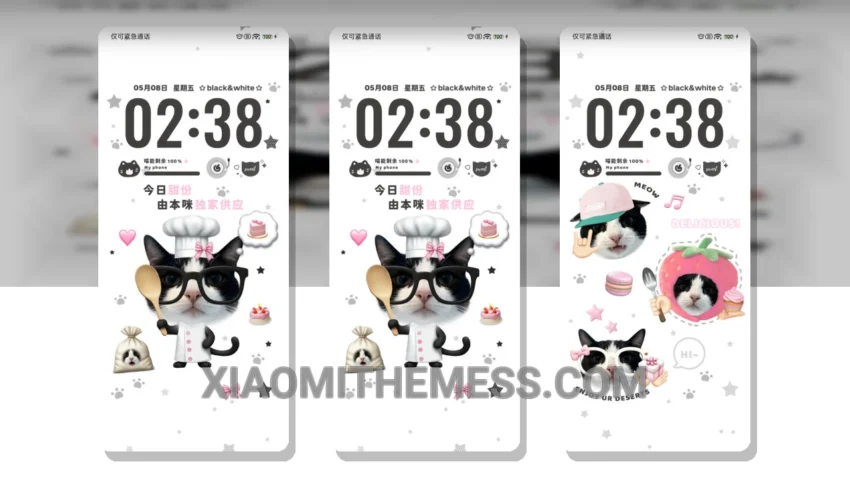
The Sweet Delight theme, translating to ‘Flowers Are For You’ from its original Chinese name, is a great choice for Xiaomi and HyperOS users looking for a delightful and elegant UI experience. With its pastel aesthetic design, the theme brings a touch of sweetness to your device’s home screen.
This theme is fully compatible with HyperOS, MIUI 12, MIUI 13, and MIUI 14, making it a versatile option for various Xiaomi devices. One of the key details of this theme is its lightweight design, which ensures a lag-free experience and no battery drain. The theme also supports dark mode optimization for a battery saver UI and an enhanced user experience.
Customization Options
In terms of customization, the theme offers a range of options, including icon pack integration, custom boot animation, and more. The theme’s clean interface and premium UI design make it a great choice for those looking for a professional and elegant look. However, some users may find the theme’s design to be a bit too minimal vibrant for their taste.
Despite this, the theme’s overall design and functionality make it a great option for those looking for a reliable and easy-to-use UI experience. The theme’s aesthetic home screen design and custom control center features make it a pleasure to use. To be honest, I was impressed by the theme’s overall performance and design, and I would definitely recommend it to Xiaomi and HyperOS users looking for a delightful UI experience.
In my testing, I found the Sweet Delight theme to be a great choice for daily use. Whether you’re looking for a professional and elegant look or a fun and playful design, the Sweet Delight theme is definitely worth considering.
Theme Information
🛠️ How to Install This MTZ Theme
- Download the MTZ file to your device.
- Open the official Themes app and go to your profile.
- Import & Apply the downloaded file.