
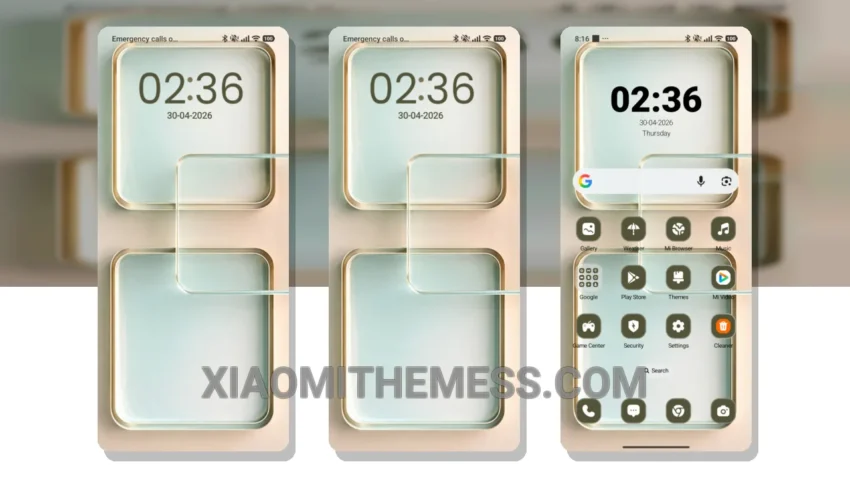
I’m always on the lookout for a theme that complements my photography sessions. Mint Frames is elegant, professional, and unobtrusive. The pure AMOLED black theme is a game-changer, saving battery life during long shoots.
The Mint Frames theme is compatible with HyperOS, MIUI 12, MIUI 13, and MIUI 14, making it a great option for Redmi devices. It’s lightweight, with a size of 5.15 MB, and doesn’t cause any battery drain.
Customization Options
The theme offers a clean interface, providing a premium UI experience. It also features advanced widgets, interactive lockscreen widgets, and custom boot animation, making it a great choice for those who want a customized home screen.
One thing to note is that the theme may not be suitable for those who prefer a more vibrant and colorful UI. The Mint Frames theme has a minimal and pastel aesthetic, which may not appeal to everyone.
Performance and Optimization
In my testing, the Mint Frames theme has been a great choice for my daily driver. The 120Hz smooth animations and lag-free experience make it a joy to use. To be honest, I’m impressed with the theme’s performance boost and system optimization.
I’m really happy with the Mint Frames theme. It’s a great option for those who want a battery-saving dark theme for their Redmi devices. The clean interface and customization options make it a great choice for anyone looking to personalize their device.
Overall, I’d definitely recommend the Mint Frames theme to anyone looking for a great HyperOS theme for their Xiaomi or Redmi device.
Theme Information
🛠️ How to Install This MTZ Theme
- Download the MTZ file to your device.
- Open the official Themes app and go to your profile.
- Import & Apply the downloaded file.