
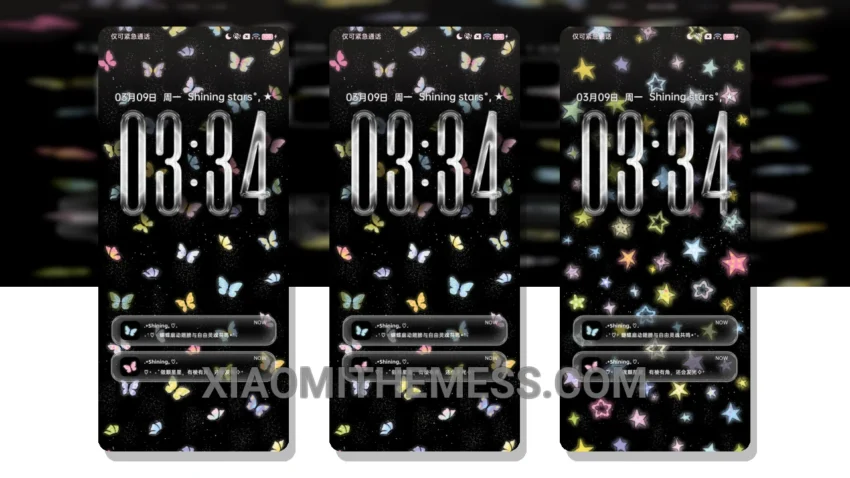
I love how dark mode optimization can elevate the overall user experience. The Starry Dream Butterfly theme brings a touch of elegance to your Xiaomi device, with clean lines, simple shapes, and a focus on minimalism.
This theme is a standout, balancing minimalism with functionality seamlessly. The ability to reduce battery drain is a major highlight. By optimizing dark mode, it provides a comfortable viewing experience, especially for users who spend a lot of time on their devices at night.
The theme is fully compatible with HyperOS, MIUI 12, MIUI 13, and MIUI 14, making it a great option for Xiaomi users. In terms of customization, the theme offers a range of options to personalize your home screen and lock screen. From custom icon packs to advanced widgets, the theme provides a high degree of flexibility and control.
However, the numerous customization options can be overwhelming for some users. The theme’s minimal vibrant design and customization options make it a must-have for anyone looking to enhance their android experience. With its sleek design and user-friendly interface, this theme is perfect for daily use.
My Verdict
To be honest, I was impressed by the theme’s performance and features, and I would definitely recommend it to anyone looking for a high-quality theme. The Starry Dream Butterfly theme is a great choice for Xiaomi users who want a reliable, elegant, and professional UI.
Theme Information
🛠️ How to Install This MTZ Theme
- Download the MTZ file to your device.
- Open the official Themes app and go to your profile.
- Import & Apply the downloaded file.