
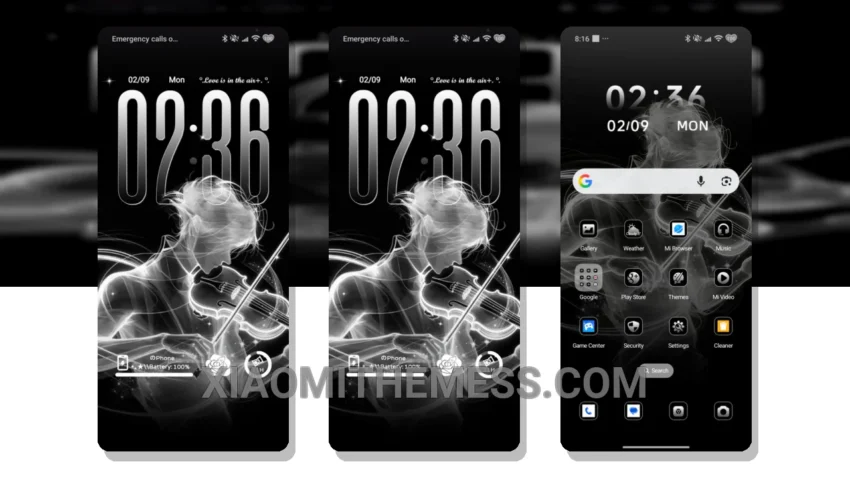
Love’s a Gift is a stunning, soft pastel theme designed for Xiaomi devices. It boasts a clean interface and minimal vibrant design. This theme is fully compatible with HyperOS, MIUI 12, MIUI 13, and MIUI 14.
The Love’s a Gift theme offers a premium UI experience, complete with pastel aesthetic themes and neon icons. One notable aspect is its support for dark mode optimization, reducing battery drain and providing a lag-free experience. This makes it ideal for those seeking a clean and elegant design without compromising on performance.
However, some users might find the theme’s customization options a bit limited. Despite this, the Love’s a Gift theme remains a top choice for those looking for a soft pastel theme with a clean and minimal design. Its support for dark mode optimization and lag-free experience make it a great option for customizing Xiaomi devices.
Theme Features
To apply the Love’s a Gift theme, simply download it from the miui theme store, then go to the theme settings on your Xiaomi device and select the Love’s a Gift theme. The theme also supports icon pack integration and a custom control center, allowing for further customization.
In my testing, I found the Love’s a Gift theme to be a great choice for those looking for a soft pastel theme with a clean and minimal design. The theme’s support for dark mode optimization and lag-free experience make it a great option for those looking to customize their Xiaomi device.
Overall, the Love’s a Gift theme is a beautiful and functional choice for Xiaomi and Redmi devices, offering a unique blend of aesthetics and performance.
Theme Information
🛠️ How to Install This MTZ Theme
- Download the MTZ file to your device.
- Open the official Themes app and go to your profile.
- Import & Apply the downloaded file.