
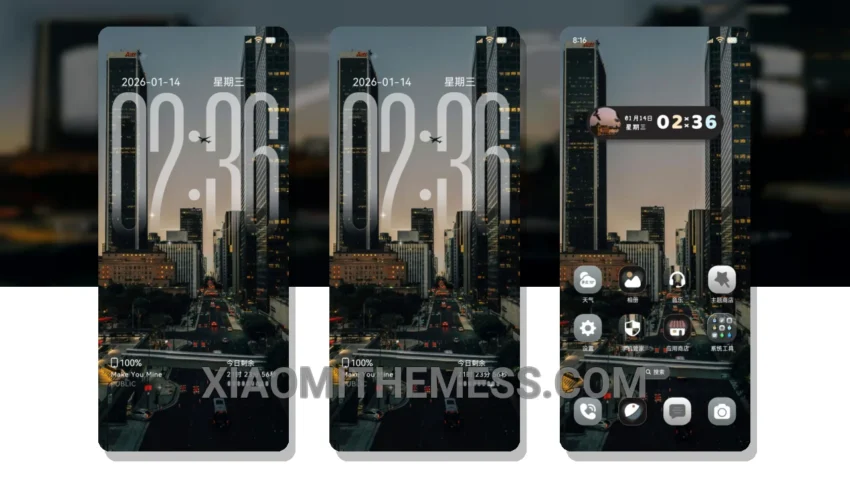
I love the look of this theme. Very minimal vibrant. So clean. The Soft Pastel Glass theme is a great choice for anyone looking to give their device a fresh new look.
With its pastel aesthetic, it’s perfect for those who appreciate a more subtle and understated design. The theme is fully compatible with HyperOS, MIUI 12, MIUI 13, and MIUI 14, making it a great option for a wide range of devices.
The theme’s ability to provide a lag-free experience is impressive, thanks to its lightweight design and system optimization. The custom control center and redesigned status bar make it simple to navigate and access your favorite features.
Customization Options
The theme’s support for android customization means you can personalize your device to your heart’s content. Plus, the theme’s unique pastel aesthetic makes it a great choice for those who want a clean and stylish look.
One potential caveat is that the theme’s dark mode optimization could be improved. However, overall, the Soft Pastel Glass theme is a great choice for anyone looking for a clean, stylish, and functional theme.
In my testing, I found the theme to be very responsive, with 120Hz smooth animations that made navigating my device a breeze. To be honest, I’m really impressed with the Soft Pastel Glass theme, and I think it’s a great option for anyone looking to give their device a fresh new look.
With its unique pastel aesthetic and lag-free experience, the Soft Pastel Glass theme is a must-try for anyone looking to customize their device. So why not give it a try and see how it can transform your device into a stunning work of art?
Theme Information
🛠️ How to Install This MTZ Theme
- Download the MTZ file to your device.
- Open the official Themes app and go to your profile.
- Import & Apply the downloaded file.