
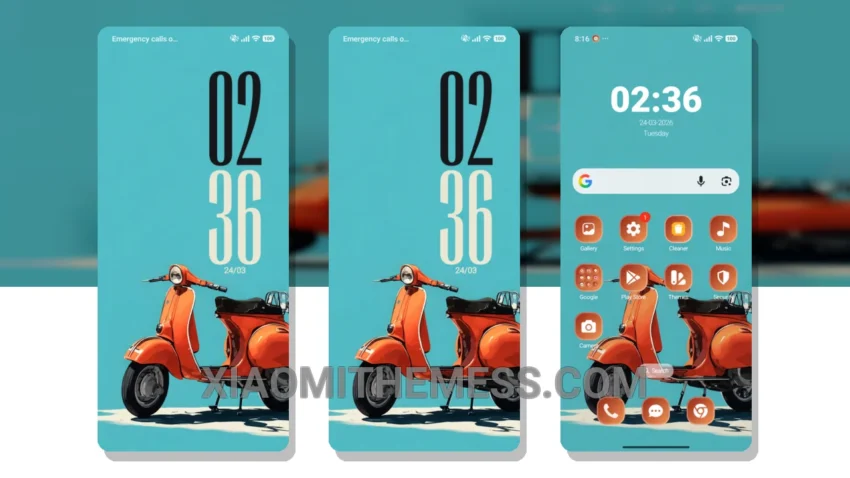
Dark mode is my jam. I mean, what’s not to love? It’s sleek, it’s sexy, it’s battery-friendly. And when it comes to Xiaomi themes, I’m all about that dark mode life. That’s why I’m obsessed with the Calm Beach Mood theme.
This theme is fully compatible with HyperOS, MIUI 12, MIUI 13, and MIUI 14, so you can bet your bottom dollar it’ll work seamlessly on your device. The theme’s ability to provide a lag-free experience, thanks to its lightweight design and 120Hz smooth animations, is truly impressive.
Customization Options
The Calm Beach Mood theme also offers a range of customization options, including icon pack integration and custom boot animation. You can even customize the control center and status bar to your heart’s content. It’s like having your own personal theme designer at your fingertips.
I love how the theme focuses on dark mode optimization. It’s not just a slapped-on dark mode, it’s a carefully crafted experience that’s designed to reduce eye strain and battery drain. And let’s be real, who doesn’t love a good battery saver UI? The theme’s clean interface and aesthetic home screen are also major pluses in my book.
One thing to note is that the theme may not be suitable for those who prefer a more vibrant and colorful aesthetic. However, for those who appreciate a more minimal and pastel look, the Calm Beach Mood theme is a great choice.
To be honest, I’m thoroughly enjoying the Calm Beach Mood theme on my Xiaomi device. The combination of dark mode optimization, customization options, and sleek design has won me over. If you’re a fellow dark mode fanatic like me, you owe it to yourself to give this theme a try.
Theme Information
🛠️ How to Install This MTZ Theme
- Download the MTZ file to your device.
- Open the official Themes app and go to your profile.
- Import & Apply the downloaded file.