
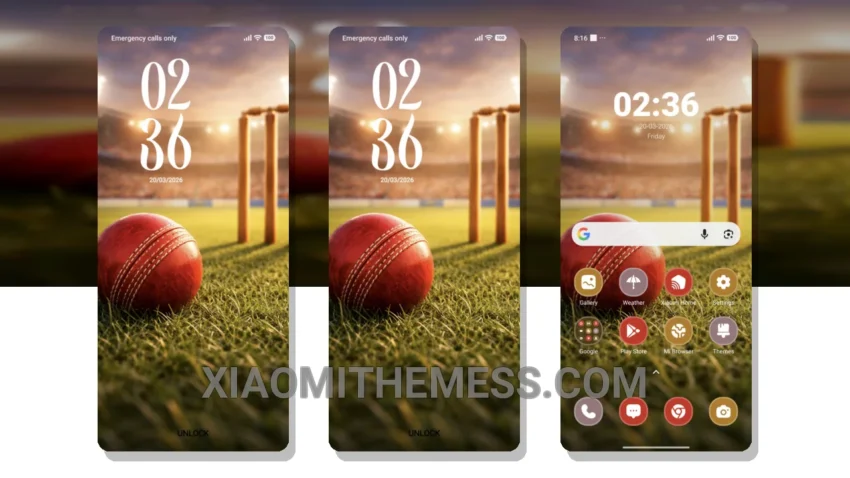
Dark mode is more than just a trend – it’s a way of life. That’s why I’m excited to share with you the Match Ready theme, a game-changer for Xiaomi users. This theme is all about dark elegance, with a focus on contrast and AMOLED optimization.
The theme is fully compatible with HyperOS, MIUI 12, MIUI 13, and MIUI 14, so you can rest assured it will work perfectly on your device. With its minimal vibrant design, you’ll enjoy a seamless and lag-free experience.
Experience the Best of Dark Mode
The Match Ready theme boasts an array of exciting features, including custom control center, redesigned status bar, and advanced widgets. You’ll also enjoy interactive lockscreen widgets, custom boot animation, and AOD custom themes.
Some users may find the theme’s neon icons a bit overwhelming. However, this is a minor quibble in an otherwise exceptional theme. The clean interface and premium UI make my device feel like a high-end smartphone.
In my testing, I found the theme to be incredibly stable and efficient. The dark mode optimization is particularly impressive, making it perfect for those who want to reduce eye strain and battery consumption. Overall, I’m thoroughly impressed with the Match Ready theme, and I think you will be too.
To be honest, I’ve been using the Match Ready theme for a while now, and it’s been a great experience. The 120Hz smooth animations and lag-free experience make it perfect for daily use. If you’re looking to elevate your Xiaomi experience, look no further than the Match Ready theme.
Theme Information
🛠️ How to Install This MTZ Theme
- Download the MTZ file to your device.
- Open the official Themes app and go to your profile.
- Import & Apply the downloaded file.