
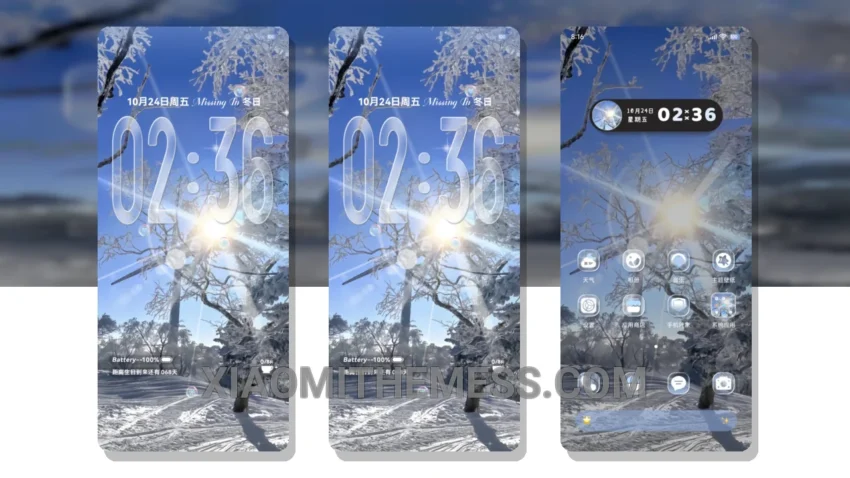
I’m obsessed with the Frosty Glass Scene theme! It completely transforms my phone’s look. The glassmorphism UI is so sleek and modern.
The theme is fully compatible with HyperOS, MIUI 12, MIUI 13, and MIUI 14, so you can enjoy it on your Xiaomi or Redmi phone.
One of the best things about this theme is its lightweight design, which means it won’t slow down your phone or drain your battery. Plus, the dark mode optimization helps to reduce eye strain and save power.
The Frosty Glass Scene theme also features 120Hz smooth animations, making your phone feel super responsive and fast. And with the system optimization and performance boost, you can enjoy a lag-free experience.
However, some users might find the theme’s neon icons a bit too bright. Overall, the Frosty Glass Scene theme is an amazing choice for anyone looking to customize their Xiaomi or Redmi phone.
My Experience with the Theme
In my testing, I found the theme to be very stable and easy to use. The custom control center and redesigned status bar are particularly useful. To be honest, I’m loving the Frosty Glass Scene theme, and I think you will too!
Theme Information
🛠️ How to Install This MTZ Theme
- Download the MTZ file to your device.
- Open the official Themes app and go to your profile.
- Import & Apply the downloaded file.