
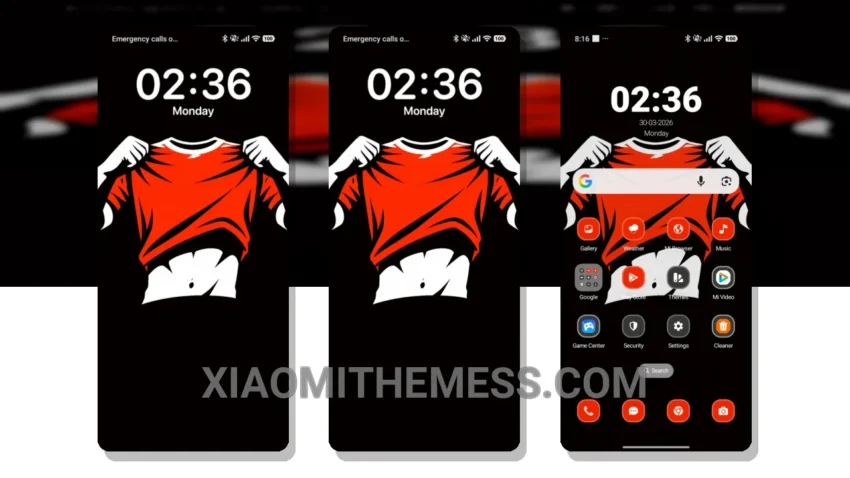
Fast. Sleek. Unique. That’s what I need from a theme. The Game Heat theme delivers just that. With its minimalist design, it’s perfect for those who want a clean and elegant look without distractions.
The theme’s ability to provide a lag-free experience is impressive. The animations are smooth, and the overall performance is top-notch. Plus, the theme is designed to be battery-efficient, which is a must for me as a photographer who spends hours shooting on location.
The Game Heat theme is fully compatible with HyperOS, MIUI 12, MIUI 13, and MIUI 14, making it a great option for those who want a consistent look across different devices. However, I did notice that the theme can be a bit too minimal at times, which may not appeal to everyone.
Design and Customization
The Game Heat theme has a unique minimalist twist, with a focus on clean lines and simple shapes. The theme also offers a range of customization options, including icon packs and widget integration, allowing you to personalize your home screen to fit your style.
In my testing, I found the Game Heat theme to be a great choice for anyone looking for a unique and stylish theme that won’t slow down their device. To be honest, I’m impressed with the attention to detail and the overall design of the theme.
Theme Information
🛠️ How to Install This MTZ Theme
- Download the MTZ file to your device.
- Open the official Themes app and go to your profile.
- Import & Apply the downloaded file.