
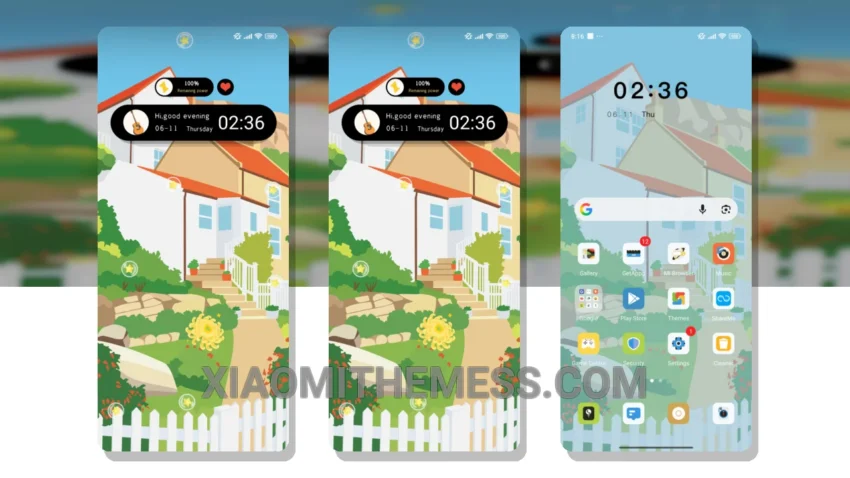
I love it when a theme just feels right. Floral Cottage is one of those themes. So simple, yet so elegant. It’s all about minimalism and simplicity, giving your device a clean interface.
The pastel aesthetic is both soothing and visually appealing. The theme is not just about looks; it also provides a lag-free experience and system optimization for a performance boost.
The theme is fully compatible with HyperOS, MIUI 12, MIUI 13, and MIUI 14, making it a great choice for Xiaomi and Redmi phone users. To customize your android phone further, you can use android customization apps and icon packs.
The custom control center and redesigned status bar are some of the features that I really like. The theme also supports dynamic island integration, which is a great addition. One of the best things about this theme is its lightweight design, which means no battery drain. The dark mode optimization is also a great feature, providing a battery saver UI and reducing eye strain.
However, some users might find the theme a bit too minimalist, which could be a caveat for those who prefer more vibrant and colorful themes.
In my testing, the Floral Cottage theme has been a great experience. To be honest, I’m really impressed with the Floral Cottage theme. It’s a great choice for those who want a minimalist and premium-looking device. So, go ahead and give it a try!
Theme Information
🛠️ How to Install This MTZ Theme
- Download the MTZ file to your device.
- Open the official Themes app and go to your profile.
- Import & Apply the downloaded file.