
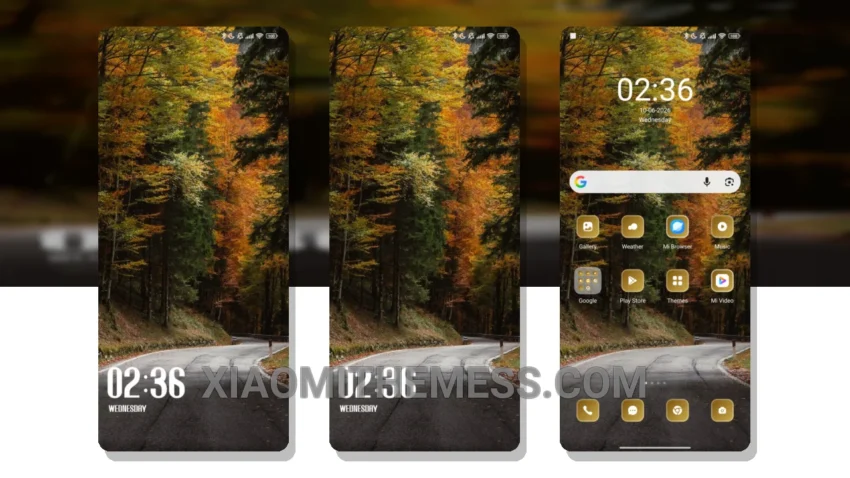
I’m obsessed with 120Hz smooth animations and a lag-free experience on my Poco F5. That’s why I’m always on the lookout for themes that can deliver. The Curved theme is a game-changer, offering a sleek and minimalist design that’s perfect for gamers like me.
The Curved theme is fully compatible with HyperOS, MIUI 12, MIUI 13, and MIUI 14, so I don’t have to worry about compatibility issues. Its focus on battery saver UI is essential for gamers who need a theme that can keep up with their demands without draining their battery.
Focus on Battery Saver UI
The Curved theme delivers with a lightweight design that’s optimized for dark mode and minimalistic aesthetics. As a gamer, I need a theme that can keep up with my demands without compromising on performance. With the Curved theme, I can enjoy a lag-free experience and 120Hz smooth animations without worrying about battery drain.
One thing I’ve noticed is that the Curved theme can be a bit limited in terms of customization options. However, the theme’s developer is always pushing out updates, so I’m hopeful that we’ll see more customization options in the future.
In my testing, the Curved theme has been a revelation. With its lag-free experience and sleek design, it’s like having a whole new device. I’ve been able to play games for hours without any issues, and the theme’s battery-efficient design means I can game on the go without worrying about running out of juice.
To be honest, I’m thoroughly impressed with the Curved theme, and I think it’s a must-have for any Xiaomi user looking to give their device a unique and premium look.
Theme Information
🛠️ How to Install This MTZ Theme
- Download the MTZ file to your device.
- Open the official Themes app and go to your profile.
- Import & Apply the downloaded file.