
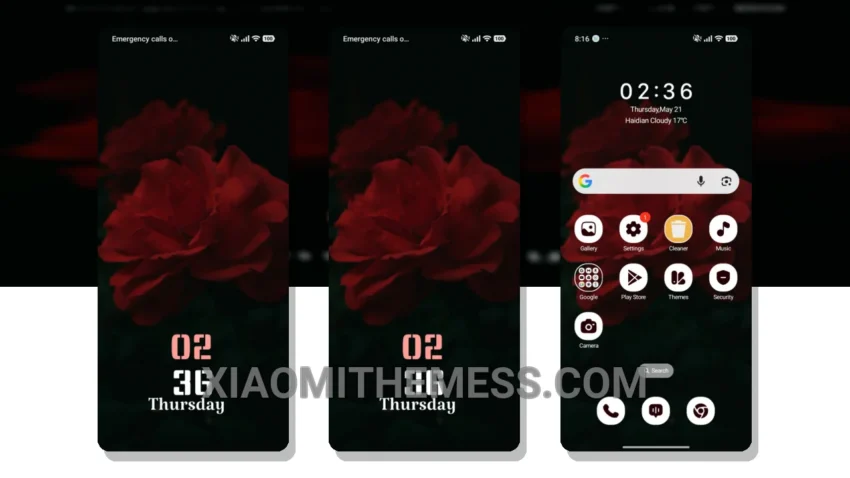
Simple. Elegant. Premium. That’s what the Rose Harmony theme brings to your Xiaomi or Redmi phone. I love how it makes my device look like a high-end gadget without sacrificing performance. The theme’s 120Hz smooth animations and glassmorphism UI make it a joy to use.
The Rose Harmony theme is all about smooth animations and a lag-free experience, thanks to its lightweight design and system optimization. This results in a seamless user experience perfect for photographers like myself.
The theme is also highly customizable, allowing you to personalize your home screen with your favorite wallpapers and icon packs. Plus, with its dark mode optimization, you can enjoy a battery-friendly theme that’s easy on the eyes.
Compatibility and Features
The Rose Harmony theme is fully compatible with HyperOS, MIUI 12, MIUI 13, and MIUI 14, ensuring a consistent look across different devices. However, it may not be compatible with all devices, so be sure to check the compatibility list before downloading.
In my testing, I found the Rose Harmony theme to be a great choice for anyone looking for a premium and battery-friendly theme. The theme’s customization options are endless, and the performance is impressive. To be honest, I’m impressed with how well it performs, and I think it’s a must-try for any Xiaomi or Redmi user.
Theme Information
🛠️ How to Install This MTZ Theme
- Download the MTZ file to your device.
- Open the official Themes app and go to your profile.
- Import & Apply the downloaded file.