
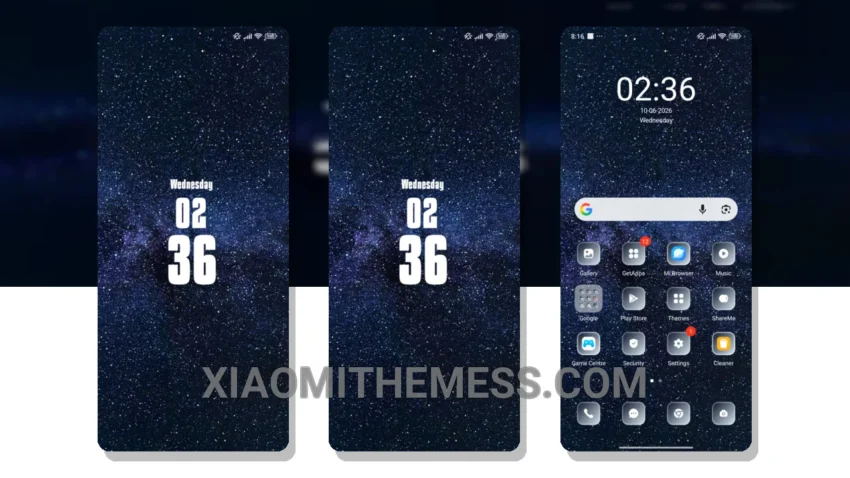
Fast. Clean. Minimal. That’s what I look for in a theme. The Milky theme delivers. It’s a game-changer for my Xiaomi device, with a clean interface and aesthetic home screen that makes my device look brand new.
Flashing custom ROMs is my thing, and the Milky theme takes it to the next level. The aesthetic home screen is so sleek, it’s like having a premium UI without the premium price tag. I can customize my device to my heart’s content, with features like custom control center and redesigned status bar.
Tinkering with themes can be a pain, but the Milky theme is a breeze to install. Plus, it’s compatible with HyperOS, MIUI 12, MIUI 13, and MIUI 14 – no worries about compatibility issues. I can just download the MTZ file, import it into the Themes app, and apply it.
One thing to note is that the theme can be a bit resource-intensive, which might affect performance on lower-end devices. However, the details far outweigh the caveats. I mean, who doesn’t want a premium UI experience on their Xiaomi device?
In my testing, the Milky theme has been a revelation. The custom control center and redesigned status bar are so intuitive, it’s like having a whole new device. To be honest, I’m hooked – the Milky theme is my new go-to theme. It’s the perfect combination of form and function, with a clean interface and smooth animations that make my device a joy to use.
Theme Information
🛠️ How to Install This MTZ Theme
- Download the MTZ file to your device.
- Open the official Themes app and go to your profile.
- Import & Apply the downloaded file.