
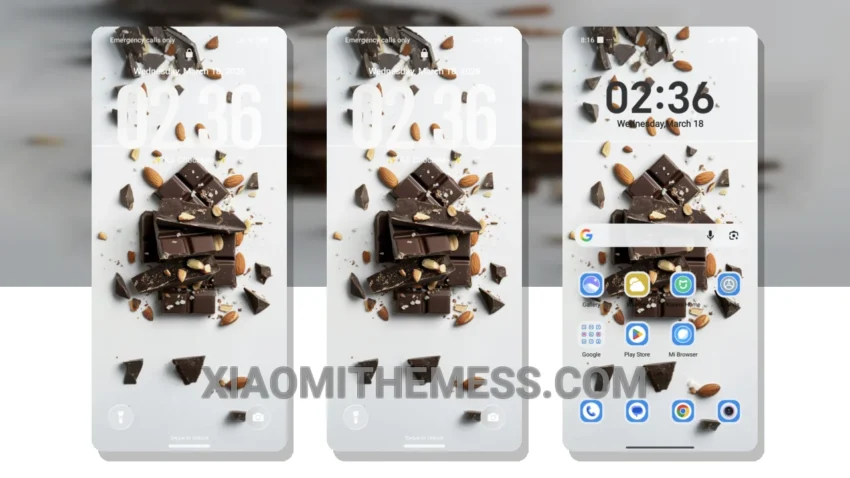
Dark mode just got a whole lot tastier with the AJ Chocolate theme. What really stands out is how seamlessly it integrates with HyperOS, MIUI 12, MIUI 13, and MIUI 14, ensuring a lag-free experience.
The theme’s dark, rich tones are not just easy on the eyes but also contribute to battery saver UI, making it a must-have for anyone looking to optimize their phone’s performance.
The AJ Chocolate theme brings a unique aesthetic to your Xiaomi device, with its deep, chocolate-inspired hues that are both elegant and sophisticated. It’s fully compatible with HyperOS, MIUI 12, MIUI 13, and MIUI 14, ensuring that you can enjoy this theme regardless of your Xiaomi device’s operating system.
Key Features
One of the significant details of this theme is its ability to provide a clean interface that’s free from clutter, making navigation a breeze. What really catches the eye, though, is the theme’s dark mode optimization. It’s not just about aesthetics; the theme is designed to work in harmony with your device’s AMOLED screen, ensuring that battery life is preserved without compromising on the visual appeal.
The result is a theme that’s not only beautiful but also functional, contributing to a no battery drain experience that’s hard to find in many other themes. However, for those who prefer lighter, more pastel aesthetic themes, this might not be the best fit.
In my testing, I found the AJ Chocolate theme to be incredibly smooth, with 120Hz smooth animations that make navigating through menus and screens a joy. The theme’s attention to detail, from the redesigned status bar to the custom boot animation, shows a deep understanding of what makes a great user interface. To be honest, once you’ve experienced the AJ Chocolate theme, it’s hard to go back to anything else.
Theme Information
🛠️ How to Install This MTZ Theme
- Download the MTZ file to your device.
- Open the official Themes app and go to your profile.
- Import & Apply the downloaded file.