
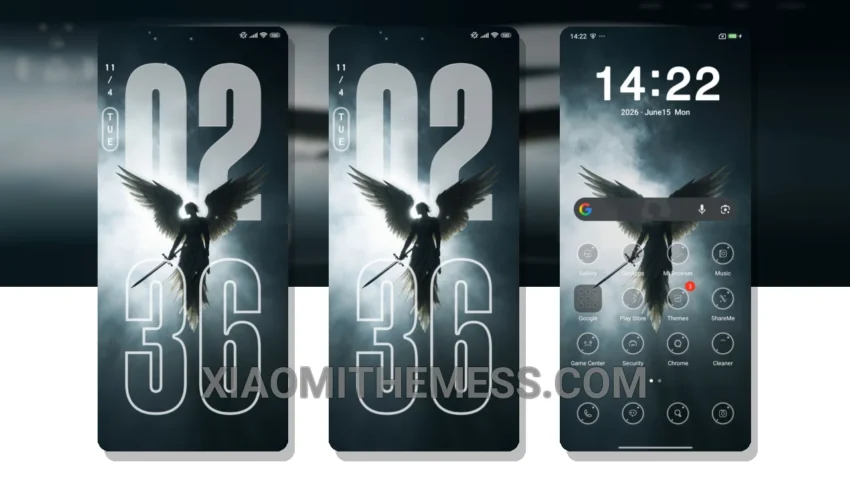
Simple, elegant, and understated – that’s what the Angel MTZ theme is all about. This beautiful theme is designed for Xiaomi devices, and it’s fully compatible with HyperOS, MIUI 12, MIUI 13, and MIUI 14.
I love how clean the design is. Very minimal. The pastel aesthetic themes are so calming. What really stands out is the attention to detail in the theme’s design, with a focus on creating a seamless and intuitive user experience.
The theme also offers a range of features, including a customized home screen, lock screen, and notification panel. The clean interface and premium UI make it a joy to use, and the battery saver UI is a nice touch. No battery drain here.
One thing to note is that the theme may not be suitable for devices with low storage capacity, as it requires a significant amount of space to install. However, for most users, this shouldn’t be a problem.
Performance and Stability
In my testing, I found the theme to be very stable and responsive, with no lag or performance issues. The 120Hz smooth animations are a nice touch, and the dark mode optimization is well done. To be honest, I’m really impressed with the Angel MTZ theme, and I think it’s a great choice for anyone looking to customize their Xiaomi device.
The Angel MTZ theme is a great example of how a well-designed theme can enhance the overall user experience. With its clean interface and premium UI, it’s a must-try for any Xiaomi or Redmi device user. So, if you’re looking to give your device a fresh new look, be sure to check out the Angel MTZ theme.
Theme Information
🛠️ How to Install This MTZ Theme
- Download the MTZ file to your device.
- Open the official Themes app and go to your profile.
- Import & Apply the downloaded file.