
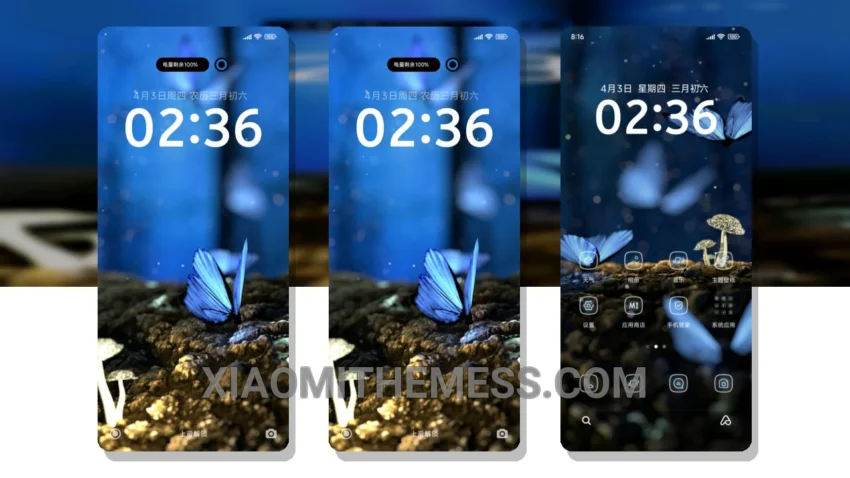
The Blue Butterfly theme is a great choice for those looking for a clean interface and smooth animations. With its pastel aesthetic, this theme is sure to give your Xiaomi or Redmi phone a unique look.
This theme is fully compatible with HyperOS, MIUI 12, MIUI 13, and MIUI 14, making it a great option for those who want a consistent user experience across different MIUI versions.
One of the details of the Blue Butterfly theme is its battery saver UI, which helps to reduce battery drain and provide a longer battery life. Additionally, the theme’s minimal design ensures that it does not consume too much system resources, resulting in a lag-free experience.
However, some users may find the theme’s customization options to be limited, which could be a caveat for those who want more control over the look and feel of their phone.
In my testing, I found the Blue Butterfly theme to be a great choice for those who want a clean and minimal design. The theme’s compatibility with different MIUI versions and its battery saver UI make it a great option for those who want a smooth and efficient user experience.
Theme Information
🛠️ How to Install This MTZ Theme
- Download the MTZ file to your device.
- Open the official Themes app and go to your profile.
- Import & Apply the downloaded file.