
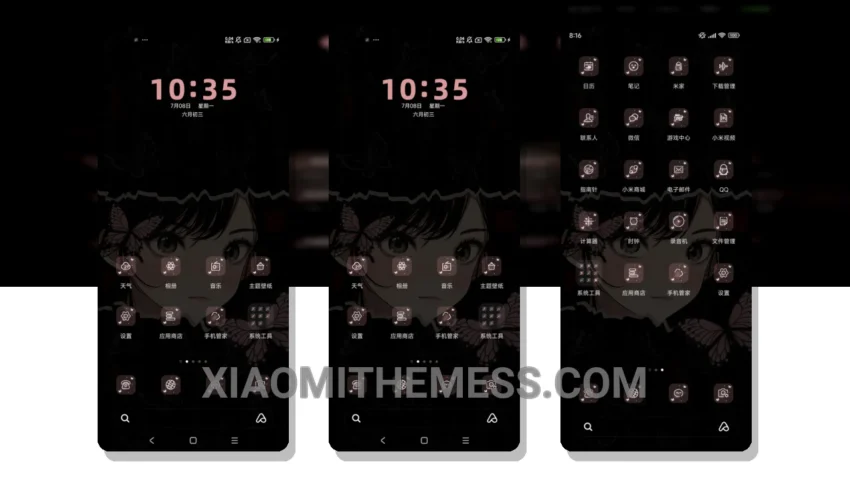
Fast. Smooth. Clean. These are the words that come to mind when experiencing the Butterfly Girl theme. This Xiaomi theme is a great example of how to balance aesthetics with performance.
Pastel colors dominate the palette, giving the theme a delicate, feminine touch. The overall design is minimalist, with a focus on clean interface and smooth animations. The result is a lag-free experience that’s pleasing to the eye.
The theme’s ability to provide a unique look without sacrificing battery life is notable. The dark mode optimization ensures that the theme is battery-efficient, making it suitable for daily use. Additionally, the theme’s lightweight design means it won’t slow down your device.
However, some users may find the theme’s customization options limited. While it does support icon pack integration and custom boot animation, some may want more advanced features.
In my testing, I found the theme to be highly responsive, with 120Hz smooth animations that make navigation a breeze. The custom control center and redesigned status bar are also noteworthy features that enhance the user experience.
Overall, the Butterfly Girl theme is a great choice for those looking for a pastel aesthetic theme that’s both beautiful and functional. With its focus on performance and battery efficiency, it’s an excellent option for anyone wanting to customize their Xiaomi device without compromising on speed or style.
Theme Information
🛠️ How to Install This MTZ Theme
- Download the MTZ file to your device.
- Open the official Themes app and go to your profile.
- Import & Apply the downloaded file.