
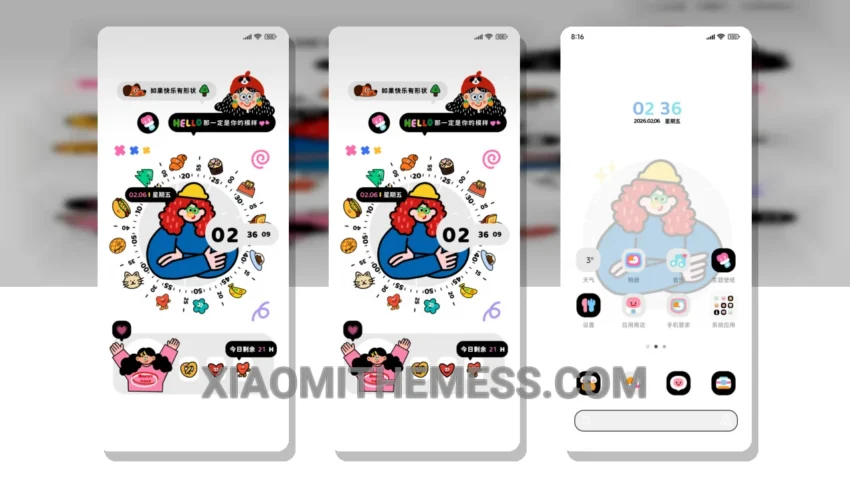
Pastel colors, clean lines, and a dash of elegance – the Dopamine Clock Cool Girl theme is a masterpiece of minimalism. It’s all about simplicity, with a very calm and serene design that’s perfect for those who want a break from the usual bold and bright themes.
The theme is fully compatible with HyperOS, MIUI 12, MIUI 13, and MIUI 14, making it a great choice for Xiaomi fans. The pastel aesthetic is truly unique and provides a breath of fresh air, while the minimal vibrant icons add a touch of elegance to the overall design.
Performance and Features
One of the best things about the Dopamine Clock Cool Girl theme is its ability to provide a lag-free experience. The theme is optimized for performance, with 120Hz smooth animations and system optimization for a seamless user experience. The custom control center and redesigned status bar are also nice features that add a bit of personality to the theme.
However, some users may find the theme’s lack of neon icons to be a bit of a caveat. But overall, the Dopamine Clock Cool Girl theme is a great choice for those looking for a clean and elegant design that’s also optimized for performance.
In my testing, I found the theme to be very stable and efficient. The pastel aesthetic and minimal vibrant icons make it a great example of how minimalism can be beautiful. To be honest, I’m really impressed with the Dopamine Clock Cool Girl theme and I think it’s a must-have for any Xiaomi fan.
So why not give it a try? Download the Dopamine Clock Cool Girl theme today and experience the beauty of minimalism for yourself. With its unique retro twist and clean interface, it’s a great way to customize your Android device and make it stand out from the crowd.
Theme Information
🛠️ How to Install This MTZ Theme
- Download the MTZ file to your device.
- Open the official Themes app and go to your profile.
- Import & Apply the downloaded file.