
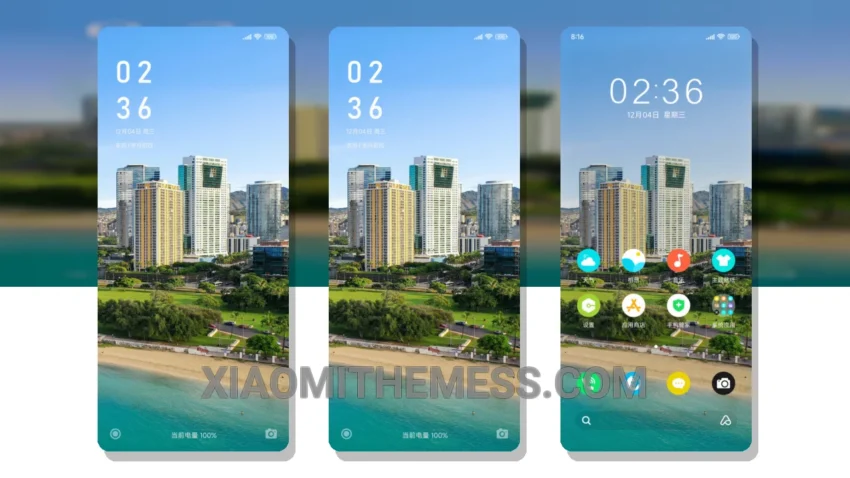
Dark mode is not just a trend, it’s a way of life. And when it comes to Xiaomi and HyperOS devices, a good dark theme can make all the difference. That’s why I’m excited to share with you Elegant Scenery, a stunning MTZ theme that’s all about dark mode optimization.
This theme is a masterpiece, with a soothing color scheme that’s easy on the eyes. The attention to detail is impressive, with a focus on clean interface and minimal design. It’s perfect for those who want a premium UI without the clutter.
Elegant Scenery is fully compatible with HyperOS, MIUI 12, MIUI 13, and MIUI 14, so you can enjoy it regardless of your device or operating system. The theme is also lightweight, ensuring a lag-free experience and no battery drain.
One of the best things about Elegant Scenery is its customization options. You can integrate your favorite icon pack, customize the control center, and even add a custom boot animation. The possibilities are endless, and it’s up to you to make it your own.
In my testing, I found Elegant Scenery to be a joy to use. The 120Hz smooth animations made navigating the interface a breeze, and the system optimization ensured that my device ran smoothly. To be honest, I was impressed by the attention to detail and the overall quality of the theme.
Overall, Elegant Scenery is a must-have for anyone who loves dark mode and wants a premium UI experience on their Xiaomi or HyperOS device. With its battery saver UI and performance boost, it’s the perfect theme for anyone looking to take their device to the next level.
Theme Information
🛠️ How to Install This MTZ Theme
- Download the MTZ file to your device.
- Open the official Themes app and go to your profile.
- Import & Apply the downloaded file.