
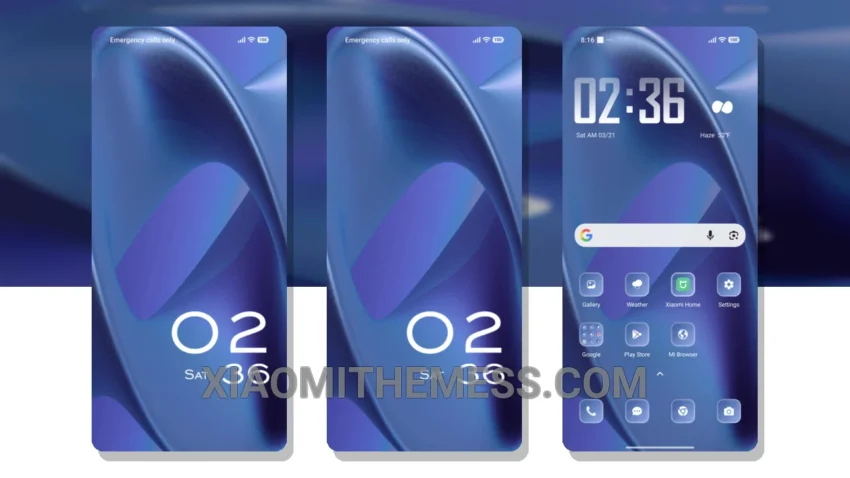
I’m always on the lookout for a theme that complements my mobile experience. Clean lines, pastel colors, and uncluttered home screens are my thing. The Elegant Simplicity theme delivers just that – a clean interface and premium UI that’s perfect for my needs.
The theme’s battery-saving capabilities are impressive, thanks to its pure black theme. This is especially important for me, as I often find myself using my device for extended periods. The last thing I need is my battery dying on me.
The Elegant Simplicity theme is fully compatible with HyperOS, MIUI 12, MIUI 13, and MIUI 14, making it a great option for Xiaomi and Redmi devices. With its minimalist aesthetic and premium UI, this theme is perfect for those who want a unique and customizable look.
One of the best things about the Elegant Simplicity theme is its support for 120Hz smooth animations and system optimization. This makes for a seamless user experience that’s hard to beat. The theme also features a lag-free experience and a beautiful, customizable interface.
However, one thing to consider is the theme’s file size – 7.19 MB. While this may not be a concern for most users, those with limited storage space may want to think twice before downloading.
To be honest, I’m impressed with the Elegant Simplicity theme, and I think it’s a great addition to my Xiaomi device. The theme’s ability to provide a clean and premium UI makes it a great choice for anyone looking to enhance their mobile experience.
Overall, the Elegant Simplicity theme is a great choice for those looking for a minimalist aesthetic and a customizable interface. With its compatibility with various Xiaomi devices and its support for 120Hz smooth animations, this theme is sure to please even the most discerning users.
Theme Information
🛠️ How to Install This MTZ Theme
- Download the MTZ file to your device.
- Open the official Themes app and go to your profile.
- Import & Apply the downloaded file.