
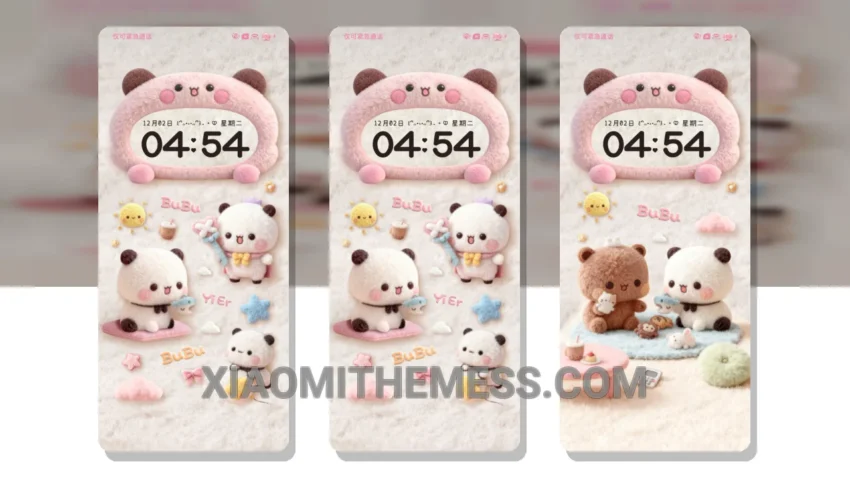
Wow, just wow! The Fluffy Wallpaper Twelve Blocks theme is a game-changer for Xiaomi and HyperOS devices. This theme is all about whimsy and fun, with a unique aesthetic that will make your device stand out. I mean, who doesn’t love fluffy wallpapers and cute block designs?
The Fluffy Wallpaper Twelve Blocks theme is fully compatible with HyperOS, MIUI 12, MIUI 13, and MIUI 14, so you can enjoy it on a wide range of devices. And the best part? It’s super easy to apply, just download and install the theme package, then go to the theme store and select the Fluffy Wallpaper Twelve Blocks theme to apply it.
Customization Options
This theme is all about customization, with support for icon pack integration, custom control center, and redesigned status bar. You can make your home screen look however you want, with your favorite icons and widgets. And with the theme’s clean interface, you’ll feel like you’re using a brand new device.
The Fluffy Wallpaper Twelve Blocks theme also boasts a lightweight design, which means it won’t cause battery drain or slow down your device. Plus, it has a dark mode optimization, providing a premium UI experience that’s easy on the eyes. However, some users may find the theme’s cute and fluffy design a bit too childish.
In my testing, I found the Fluffy Wallpaper Twelve Blocks theme to be a great choice for anyone looking to add some fun and personality to their device. With its unique aesthetic and customizable features, it’s a must-try for any Xiaomi or HyperOS user. To be honest, I’m obsessed with this theme and I think you will be too!
Theme Information
🛠️ How to Install This MTZ Theme
- Download the MTZ file to your device.
- Open the official Themes app and go to your profile.
- Import & Apply the downloaded file.