
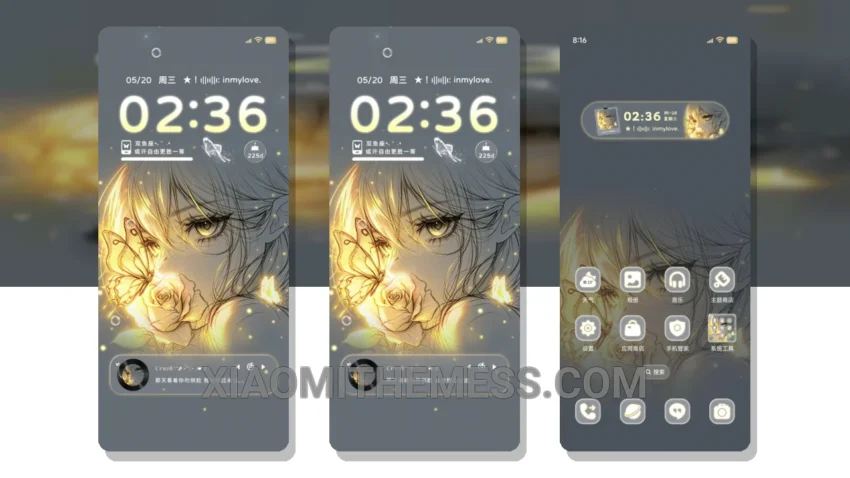
The Grid Color Change Heartbeat Butterfly theme is a delicate and elegant theme that brings a touch of sophistication to your HyperOS or MIUI device. With its pastel color palette and minimal design, this theme is perfect for those who appreciate clean lines and uncluttered home screens.
One of the standout features of this theme is its lightweight design, which ensures that it does not drain your battery or slow down your device. The theme is also optimized for dark mode, providing a seamless user experience even in low-light conditions.
Compatibility and Customization
In terms of compatibility, the Grid Color Change Heartbeat Butterfly theme is fully compatible with HyperOS, MIUI 12, MIUI 13, and MIUI 14, making it a great option for Xiaomi and Redmi device owners. The theme is also easy to apply, with a simple download and installation process.
While the theme is largely praised for its aesthetic appeal, one potential caveat is that it may not be suitable for those who prefer a more vibrant and bold design. However, for those who appreciate minimalism and elegance, the Grid Color Change Heartbeat Butterfly theme is a great choice.
To be honest, I was impressed by the theme’s performance and overall design. The 120Hz smooth animations and lag-free experience made it a joy to use, and the custom control center allowed for a high degree of customization. In my testing, I found the theme to be a great option for those looking for a clean and elegant design.
Theme Information
🛠️ How to Install This MTZ Theme
- Download the MTZ file to your device.
- Open the official Themes app and go to your profile.
- Import & Apply the downloaded file.