
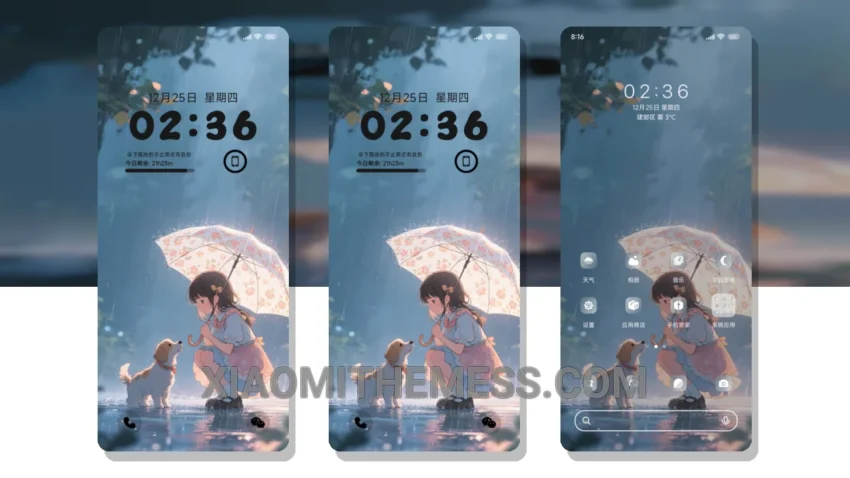
Dark mode is my go-to. It’s all about the elegance of dark interfaces, contrast, and AMOLED optimization. The Guardian Under The Umbrella theme is a great example of this.
It’s a beautifully designed theme that offers a clean interface and premium UI. The theme is fully compatible with HyperOS, MIUI 12, MIUI 13, and MIUI 14.
One of the best things about this theme is its dark mode optimization. It’s perfect for saving battery life and reducing eye strain. Plus, it supports 120Hz smooth animations, making for a lag-free experience.
The theme also offers various customization options, including icon pack integration and custom boot animation. However, it’s worth noting that the theme can be a bit heavy, weighing in at 18.05 MB.
To be honest, I’m really impressed with the Guardian Under The Umbrella theme. The combination of dark mode optimization, clean interface, and customization options makes it a great choice for anyone looking for a premium theme.
Theme Information
🛠️ How to Install This MTZ Theme
- Download the MTZ file to your device.
- Open the official Themes app and go to your profile.
- Import & Apply the downloaded file.