
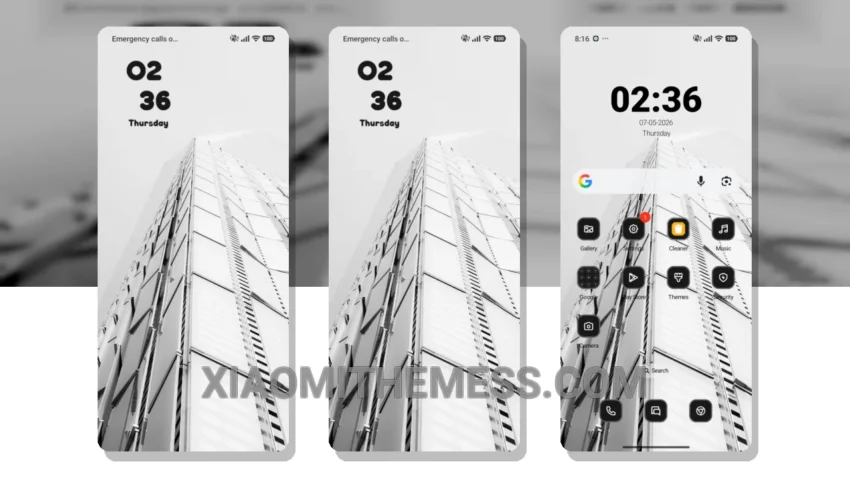
Dark mode is my go-to. I mean, who doesn’t love the elegance of a pure black theme? It’s not just about aesthetics; it’s also about saving battery life and reducing eye strain. That’s why I’m excited to share with you the High Glass theme, a beautiful dark mode theme designed specifically for HyperOS, MIUI 12, MIUI 13, and MIUI 14 devices.
The High Glass theme is all about glassmorphism. It’s a unique blend of minimalism and elegance, with a touch of sophistication. The theme is fully compatible with the latest Xiaomi devices, and it’s easy to apply. Simply download the theme file, go to the theme store on your device, and select the downloaded file to apply.
Features and Details
One of the best things about the High Glass theme is its dark mode optimization. The theme is designed to provide a seamless dark mode experience, with a pure black background that’s easy on the eyes. Plus, it’s optimized for AMOLED displays, which means you’ll get the most out of your device’s battery life.
The High Glass theme also offers a range of customization options, including icon pack integration, custom boot animation, and more. You can personalize your home screen to fit your style, with a range of widgets and layouts to choose from. And with the theme’s lag-free experience, you can enjoy a smooth and responsive user interface.
In my testing, I found the High Glass theme to be a joy to use. The theme’s clean interface and premium UI make it a pleasure to navigate, and the customization options are extensive. To be honest, I’m impressed by the attention to detail and the overall quality of the theme. If you’re looking for a beautiful and functional dark mode theme for your Xiaomi device, the High Glass theme is definitely worth checking out.
Theme Information
🛠️ How to Install This MTZ Theme
- Download the MTZ file to your device.
- Open the official Themes app and go to your profile.
- Import & Apply the downloaded file.